

Over the past few months I have written several posts on different ways to back up your digital life. Part of the reason I keep writing about different backup options is, people STILL don’t do it. The majority of people I know are in the “I wish I had a backup.” camp.
The more people start to transition their daily computer usage to virtual space, the more of a risk you will have of loosing your information to a hacker, virus or some other unforeseen mishap. Below is a great way to get started backing up your digital accounts using Backupify.
If the name sounds familiar, it was mentioned a while ago as a way to back up your tweets. The premise is the same for any of the 16 services Backupify works with. (There are more sites coming soon like Xmarks and Youtube, but no date is given when they will be available). Using the free version, you can archive your digital life in case something happens.
Signup
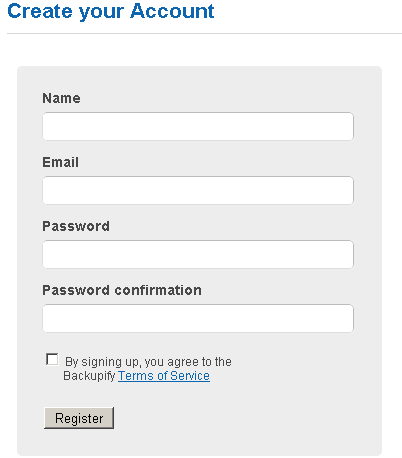
Start by signing up for an account. It is a couple steps and you are in. Username, email and a password typed twice. You will need to verify the email address you give them just like most fresh signups.
Authorize
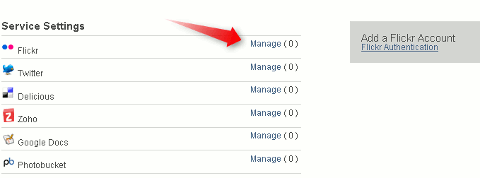
Once you are all signed up and verified, you can start authorizing the sites you would like to be backed up. To authorize, simply click where it says manage to the right of your choice web app.
Keep in mind you are backing up multiple sites that have the potential to each store more than two gigabytes. So if you are the kind of person who saves every email you may want to look for other Gmail backup options.
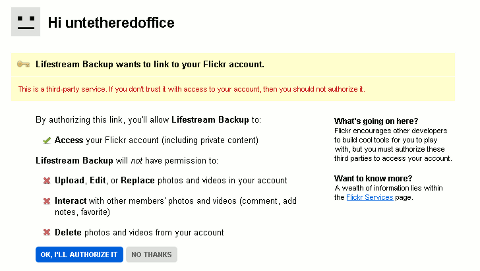
The authorization process is pretty easy. Some sites are authorized via an oauth page.
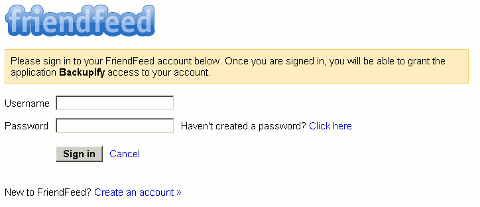
Others, like Flickr, have you sign in on the normal login page. After you log in you are asked to grant access to Backupify.
Backup
When you have your accounts linked to Backupify, you need to wait about 48 hours for the initial backup to happen. Depending on the number of files and and web app you are backing up, it may not take long at all to see an archived copy show up.

History
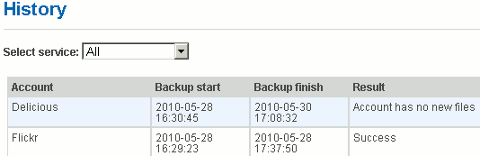
Click on the history tab to see the recent backups. The message you will see initially see tells you to wait for at least 48 hours. Once there are backups you will see a screen something like this.
Archive
In the archive tab, you can view the backed up files. Flickr, for example, shows the filename and the metadata for the picture as separate files.
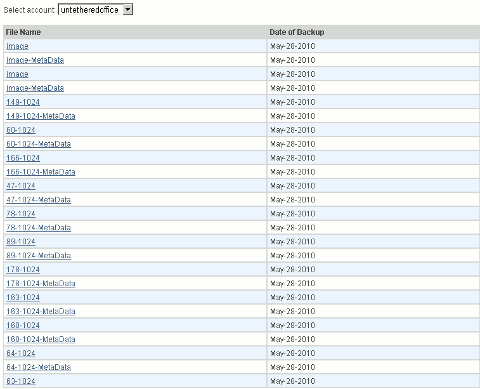
If for some reason you lose a file or you cannot gain access to your actual account, you can download the file directly from Backupify. I am not all that fond of how the file name is changed when it downloads, but the file is what’s important.

Conclusion
I really think an all in one backup option for your online profile is a great idea. Making the process automatic decreases the chance of forgetting to do your weekly backup. Knowing a copy of your information is stored someplace easily accessible and safe should help you sleep a little better.