

If you are using LastPass to safeguard all your web account password, you will know that your LastPass account is as strong as your master password. Once your master password is cracked, all your passwords will be exposed and the consequence is beyond your imagination. To further tighten the security of your LastPass account, you can now enable the two factor authentication feature such that you will need to enter your password and a unique pin everytime you want to login to LastPass. This will ensure that your account is not compromised even if your master password is cracked.
To enable the two factor authentication feature in LastPass, here is what you need to do:
1. Go to LastPass.com and login to your password vault.
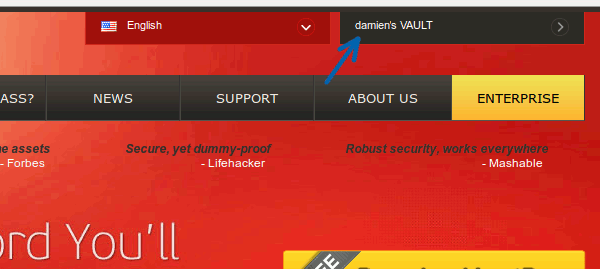
2. On the left Panel, click the “Settings” tab.
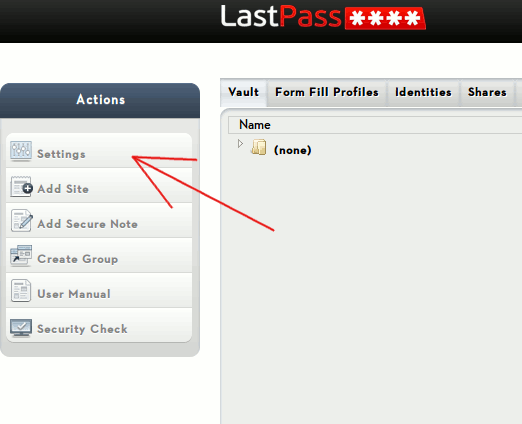
3. On the pop-up window, click the “Security” tab. From here, you can check the box “Grid Multifactor Authentication”, follow by clicking the “Print Your Grid” link.
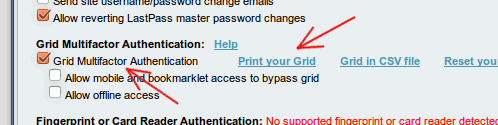
Note: It is important to print out your grid before you click the “Update” button, else you will be locked out of your account.
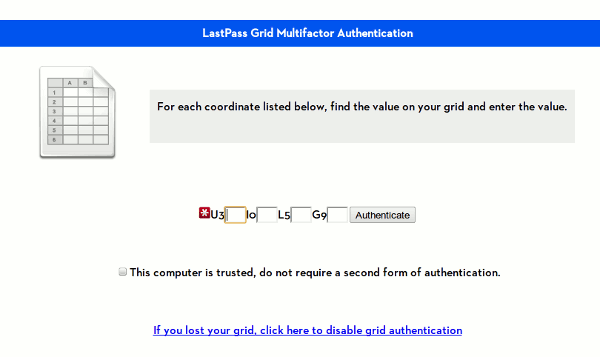
4. Next time you login to LastPass, you will see the grid authentication page where you need to enter the number listed in the grid.
Enable Google Authenticator Instead of Grid Authentication
If you prefer to use the Google Authenticator instead of the grid authentication (which can be troublesome), LastPass also comes with an option for you to use the Google Authenticator.
On the “Settings” page, go to the “Google Authenticator” tab. On your mobile device with the Google Authenticator, scan the barcode and associate your LastPass account with the Authenticator app. Once this is done, click the “Google Authenticator Authentication” dropdown to select “Enabled”. You will need to enter the PIN from the Google Authenticator to activate it.
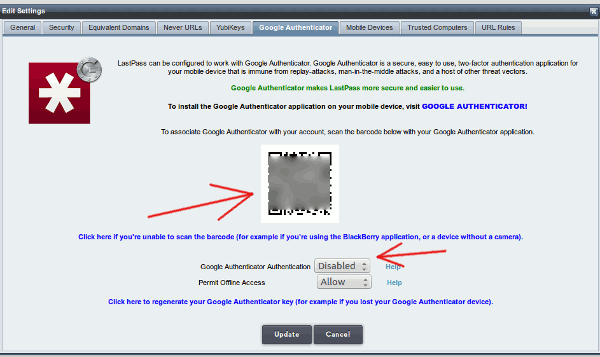
That’s it.
More ways to secure your LastPass account
Other than the 2 factor authentication, LastPass also comes with several other ways to secure your account.
1. Increase the Password iterations
Under the General tab in the Settings page, there is a field for you to enter the password iterations. Give it a high number, say 500. What this will do is to increase the number of time the password hash (from the client) is verified with the server before it is considered a legitimate login. Increasing the password iterations also mean you have to wait slightly longer for it to login.
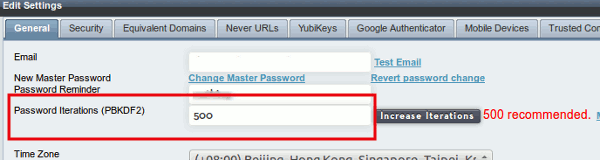
500 is a good balance on a stable network, though you can increase up to 1000 if you want.
2. Limit the login to a specific location
Let say you are located in Australia and you seldom travel, you can limit the login to be valid only when it is signed on from your country (or a list of specific countries). This will prevent random hack from other countries.
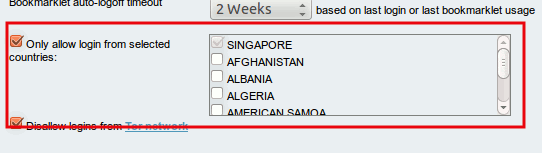
What other ways do you use to secure your online account’s password?