

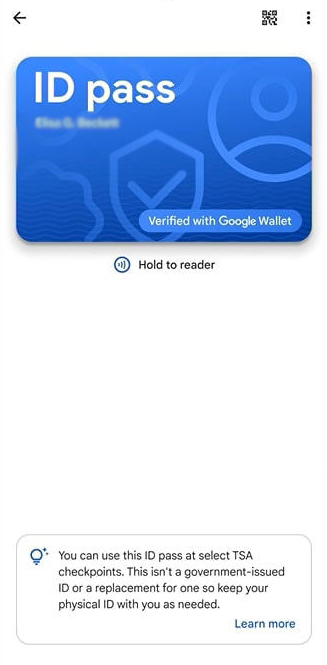
As of December 2024, Google Wallet now supports passports. This means any U.S. citizen with a passport can carry these vital documents digitally. Just add the passport or state-issued ID to your digital wallet as directed, and you can breeze through TSA checkpoints at certain airports.
How to Add a Passport to Google Wallet
Note: to complete this process, you must take a photo of the passport page with your information and portrait, as well as the information from the security chip inside your passport. Google Wallet will not save your progress, so you should only begin if you have your passport handy.
First, open the Google Wallet app on your smartphone, then tap Add to Wallet.
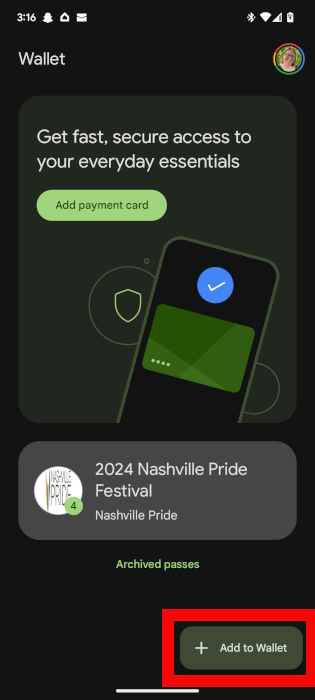
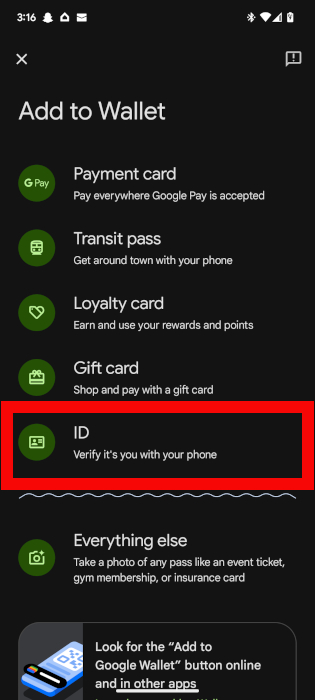
You will see numerous options of what you can add to your wallet. Select ID, then on the next screen, choose ID. (Create an ID pass with a U.S. passport.)
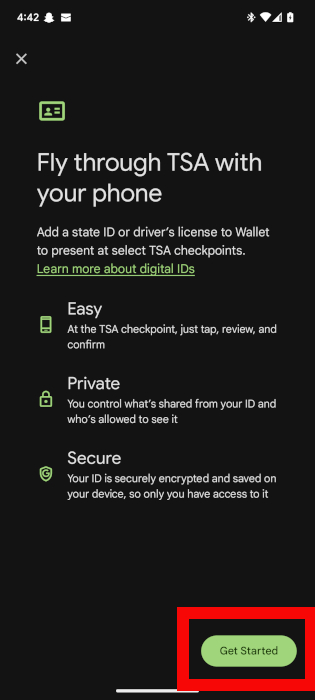
Read through the information about how ID passes work in Google Wallet, then tap Get Started when you are ready to move on.
Read through the agreement information, and select I Agree after you finish.
You will be prompted to do three things:
- Scan the information page on your passport that includes your passport photo.
- Scan the security chip located on the back cover of your passport.
- Record a video of your face for identity verification purposes.
After you complete these steps, tap Continue. Google will verify the information, and you will receive a notification once your passport information is available in your Google Wallet.
How to Add a Driver’s License or State ID to Google Wallet
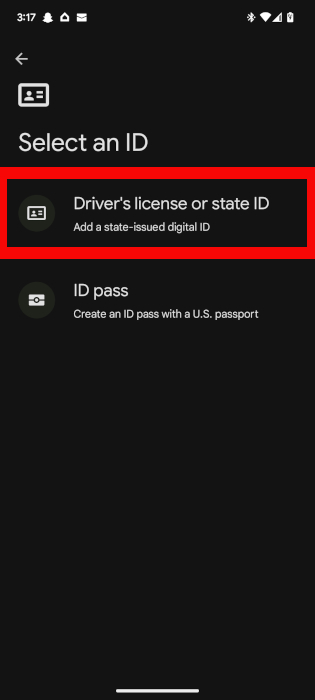
To add a driver’s license or state-issued ID to your Google Wallet, start the same way you would if adding a passport. From the Google Wallet home screen, navigate to Add to Wallet -> ID, then choose Driver’s License or State ID.
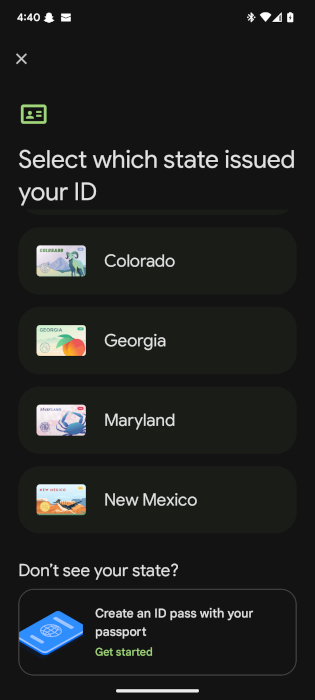
Choose the state that issued your ID.
Note: Google Wallet currently supports digital IDs for Arizona, California, Colorado, Georgia, Maryland, and New Mexico. Residents of all other states only have the option to create a digital ID with their passport.
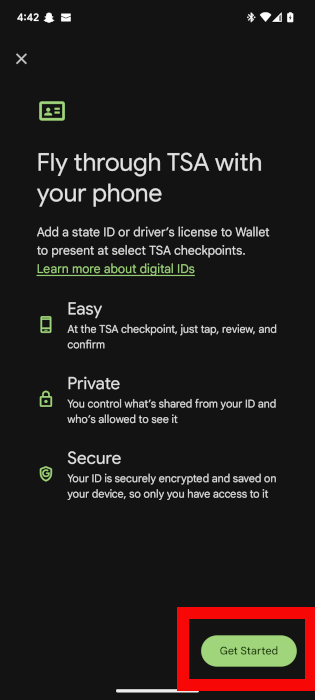
Read the additional information Google provides about using your digital ID, then tap Get Started.
You will need to complete three steps:
- Scan the front and back of your state-issued ID.
- Capture a brief video of yourself to verify your identity.
- Wait for Google to verify everything with your state.
During this process, Google will also prompt you to agree to their digital ID terms and save the ID to your device. Tap I Agree to continue. You will also be notified when your digital ID is available in your Wallet.
Using Digital IDs in Your Google Wallet
Following the above steps, add your passport and state-issued ID to your Google Wallet. However, you can only add your digital ID to one device, so only do this with your primary device, such as your smartphone.

You can use your Digital ID anywhere you would typically present a driver’s license or other form of ID. However, not all states have legalized digital identification, while others restrict when or where you can use it. Check your state’s current digital ID policies before using this as a replacement for the identification in your wallet.
When traveling, your ID pass is not a complete replacement for your passport but a tool you can use at select TSA checkpoints throughout the United States. You cannot use your ID pass for security checks during international travel.
Finally, you must use a phone running Android 9 or higher with Bluetooth and nearby devices enabled if you want your digital ID to work.
How to Delete an ID From Google Wallet
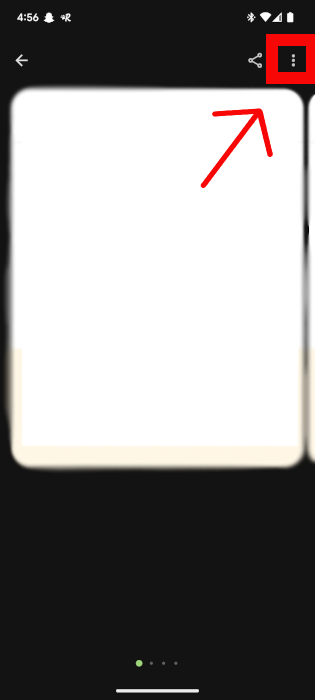
If you ever want to remove your passport or driver’s license from your Google Wallet, open Google Wallet, and select the ID you wish to delete. Then, tap the More icon in the upper-right corner.
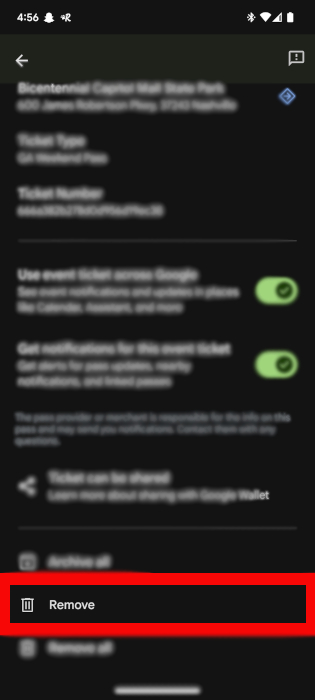
Scroll and tap Remove.
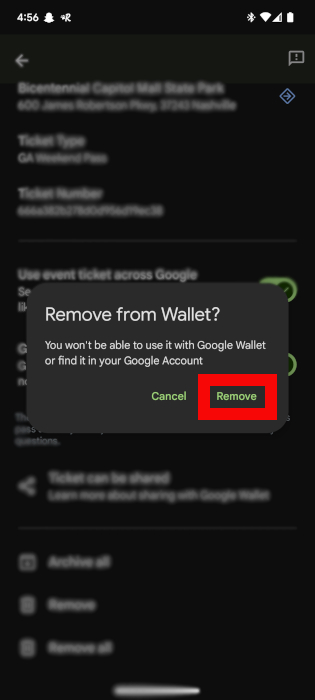
When prompted to confirm the removal, tap Remove.
Can I Remotely Remove an ID From Google Wallet?
If your phone becomes compromised due to damage or theft, you can still remove your digital ID and transfer it to a new device by going to your Google Account (https://myaccount.google.com/) and choosing Personal Info.
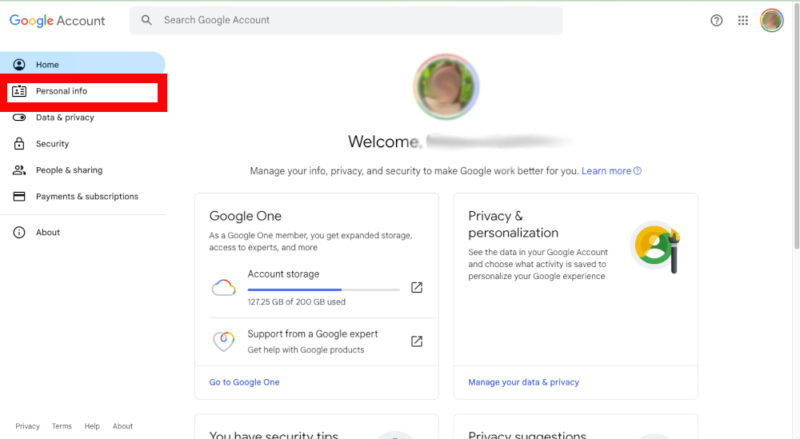
Scroll to find the IDs section, and choose Manage IDs. Locate the ID pass you want to remove, and click Delete. Confirm your choice to delete this digital ID from your Google account.
Will Digital IDs Become the Norm?
Although there are only a handful of states that currently offer digital IDs, at least a dozen other states are moving towards adoption. Once digitized, it will change how we interact at security checkpoints or other places where we formerly needed a physical identification card. The possibilities are endless with other advances like facial recognition and generative AI.
Image credit: Canva. All screenshots by Megan Glosson.