Google has recently added a new feature into its Analytics software, enabling you to track your website loading speed now. If you are not aware, in its attempt to make the web faster, Google has launched a series of tools to help webmasters improve their site speed. There is the Google Instant where users can find what they want even before they finished typing; Instant Preview to enable users to preview the site from the search result, Page Speed Chrome extension that runs performance tests based on a set of best practices known to reduce page load time and now the Site Speed Report.
Why is there a need for a faster site?
Rather than discussing the benefits, let’s talk about the disadvantages. A slow loading site can affect the user experience of your visitors. Most people don’t wait more than 10 seconds for the site to load. If your web page does not load up in 3 seconds, they will leave.
Additionally, a slow landing page can also impact your conversion rate and also ranking in Google search. If you want to have a high ranking (in Google search results), you got to have a fast loading site.
Adding the Analytics Site Speed tracking feature manually
The new site speed tracking feature tracks your site loading speed and allows you to find out which page is fast/slow, how does it varies across geographies or browsers.
If you are using WordPress and you Google Analytics code was added manually, you just have to insert one more line of code to implement the site speed tracking feature.
Open your theme file where you place the Google Analytics code (most probably is the header.php). Insert the code
_gaq.push(['_trackPageLoadTime']);
under the line
_gaq.push(['_trackPageview']);
The resulting code will be:
Save and replace the file in the server. That’s it.
Adding the Analytics Site Speed tracking feature using Plugins
If you are using a plugin to add your Google Analytics code, most of them (as of this post) are not updated to include this new feature yet. You can either wait out for the developer to add the feature or disable the plugin and add the code manually.
To add the code manually, you just have to go to Appearance -> Editor and load the header.php file. Add the Google Analytics code (with the site speed tracking feature) just before the tag.
Viewing Your Site Speed Analytic
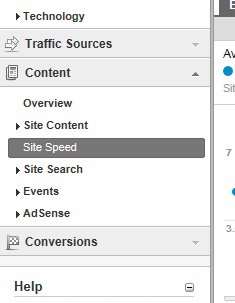
The site speed tracking feature is disabled by default. Once you have added the code, it will take several hours to show up on your Google Analytics page. Go to My Site -> Reports -> Content. You should see a new entry “Site Speed” under the Content section.