


Content is the king, they say, but appearance is the queen. And that can’t be more true in the state of today’s web properties. Having an eye-catching design will help web owners grab the attention of their visitors. Aside from the well thought-out layout, harmonious color combination, and beautiful fonts, one of the ways that web owners can use to attain a visitor’s instant notice is to use moving, typewriter-like texts. If you are a WordPress user, you can achieve this effect easily using a plugin called Typed Js.
Note: since the effect is moving text, and it’s difficult to describe the “coolness” using either words or a static picture, I decided to use it in my personal website project, and you can see the result there.
Installing and Setting Up the Plugin
Installing a plugin in WordPress is very easy, especially for those who have tinkered with the platform for a while. All that you have to do is log in to your admin area and use the “Plugins -> Add New” menu from the left sidebar. Search for “Typed Js” from the plugin repository, then install and activate it.
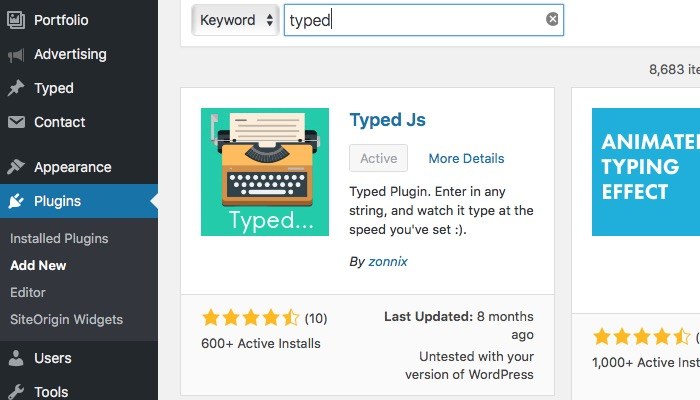
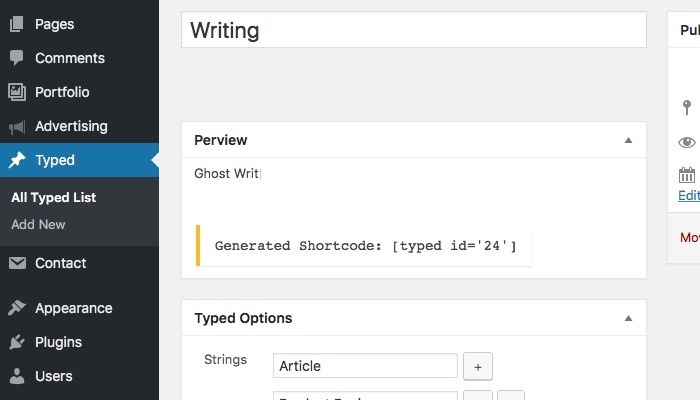
Now you are ready to add a new Typed Js effect. The process is more or less similar to adding a new post. First, go to the “Typed -> Add New” menu from the left sidebar, then give your new Typed effect a name.
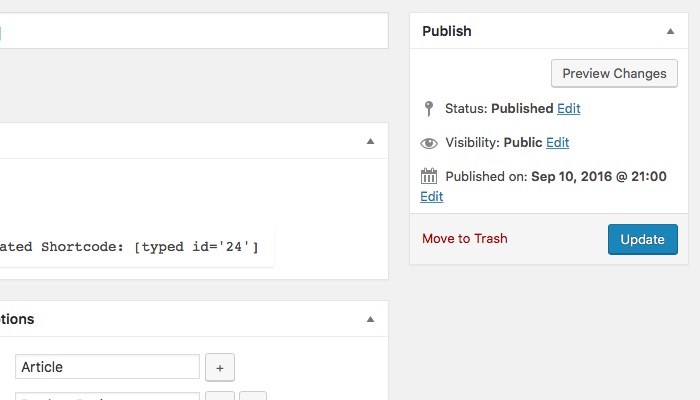
Important! Pay attention to the “Generated Shortcode.” It’s the string between the “[square brackets].” Copy everything including the brackets, and insert the shortcode anywhere you want it to appear. A different set of strings will have different shortcode.
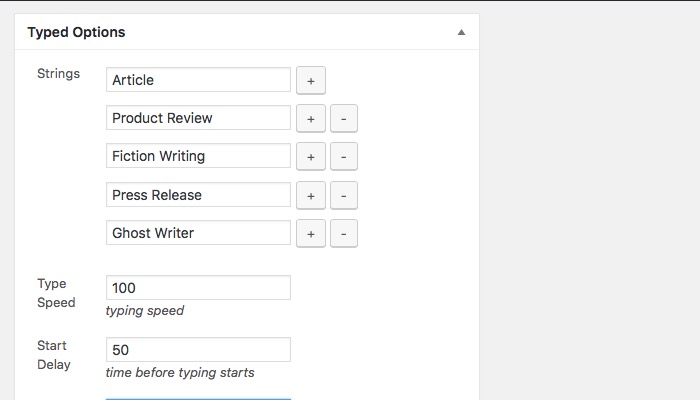
From the “Typed Options” you can add the strings of words/phrases/sentences that you want to appear using the order that you prefer. Use the “Plus (+)” button to add a new string and “Minus (-)” button to delete an entry.
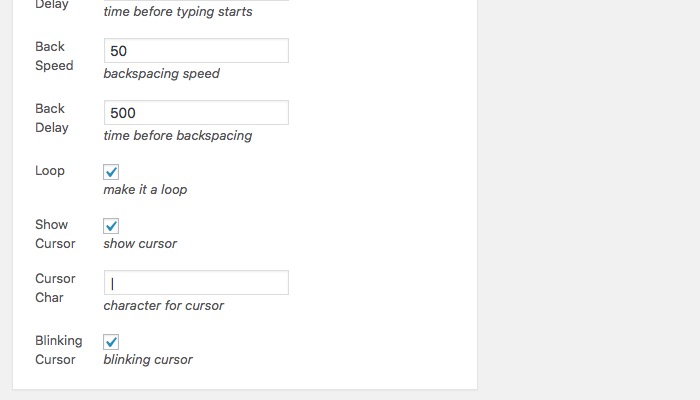
Below the strings are the various settings to adjust the appearance of the effect. You can customize the Typing Speed, Start Delay, Back Speed, and Back Delay. All the numbers are in milliseconds. You can also set the strings to appear in a loop, show cursor, choose a character as the cursor, and make it blink.
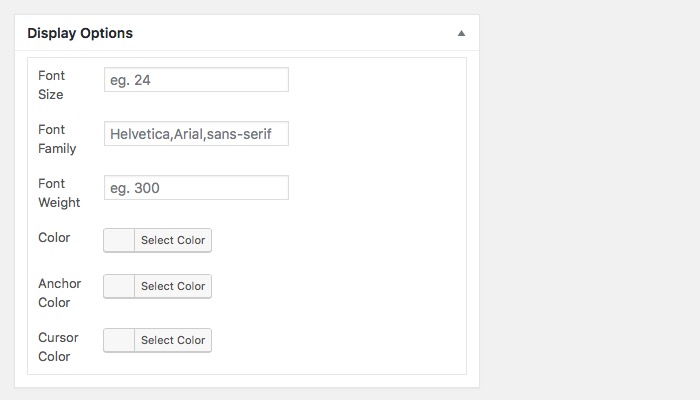
Another thing that you can adjust is the display, such as the font and color.
And after you are done with all the settings, hit “Publish” or “Update.”
Using the Effect in Your WordPress
As mentioned earlier, to use the Typed effect you need to copy the shortcode and paste it where you want it to appear. For my website, I’m going to use it on the landing page that I generated using SiteOrigin Page Builder.
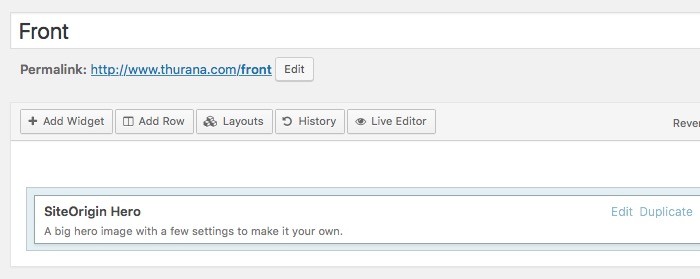
First, I create a new page via “Pages -> Add New.” Then I switch to the “Page Builder” tab, add a new “Row,” set it to one column, and add the “SiteOrigin Hero” widget inside the row.
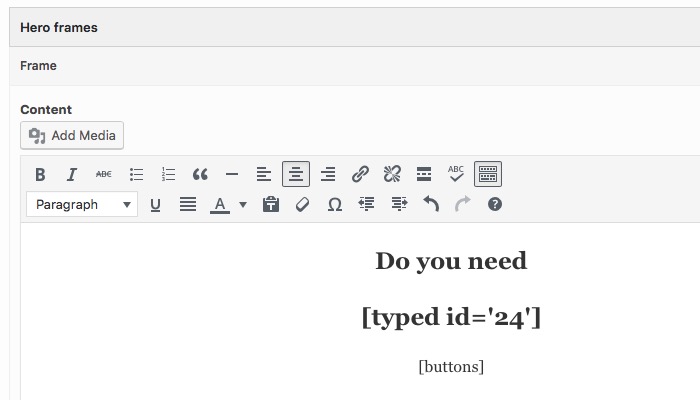
Then I open the frame and edit the content the same way I do with the usual WordPress posts. I insert the shortcode that was generated in the previous post.
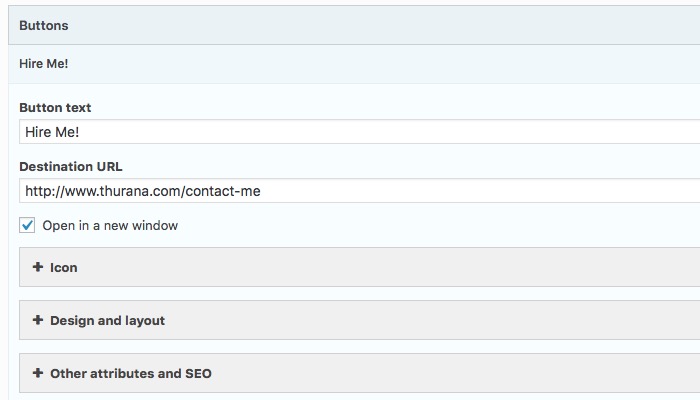
To complete the design, I add and customize a “button” that will link to the previously set up “Contact Me” page so that a visitor that needs my services can get in touch with me.
And here’s the final result.

You can create as many Typed Js items as you want, then copy and paste the shortcodes and insert the effect anywhere within posts or pages. Although it would be very cool, you can’t use the effect in the title. I tried.
What do you think about Typed Js effect? Can you see yourself using it in your WordPress site(s)? Share your thoughts and opinion using the comments below.