


pulpTunes’ tagline is “The Web Server for iTunes,” and that is exactly what it is. There are time when you are some place other than your home, and you really want to listen to your music collection. However, you are unable to access it because you are not in the same network, and/or you have forgotten your MP3 Player. This is the great thing about pulpTunes. It provides you with the capability of accessing your music from any location just by using your web browser. These steps will assist you in downloading the software, configuring it, and using it to play your music at any location. The great thing about pulpTunes is that you don’t have to be an expert to set it up and use it. It’s a very quick and simple process.
Download the Software
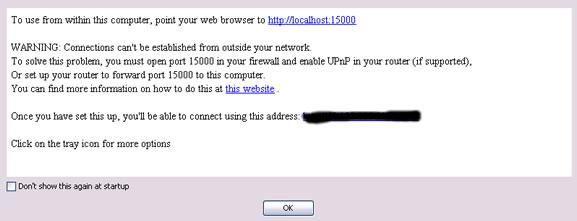
When you go to the site, you will see a Download Now button that you will need to press. After you download the software, double-click the pulpTunes icon. A startup message will appear with some basic instructions on how to quickly launch the app. If you decide you no longer want to see that message, check the Don’t show this again at startup check box. I would leave this to come up when the app launches because it provides useful information that you might forget. For instance, what to do if you are unable to launch pulpTunes with your browser.
Check the Settings
The next thing you want to do is check the app’s settings. Regardless of what system (i.e. Windows, Mac, or LInux) you are on, you will see the pulpTunes’ icon on the system tray.

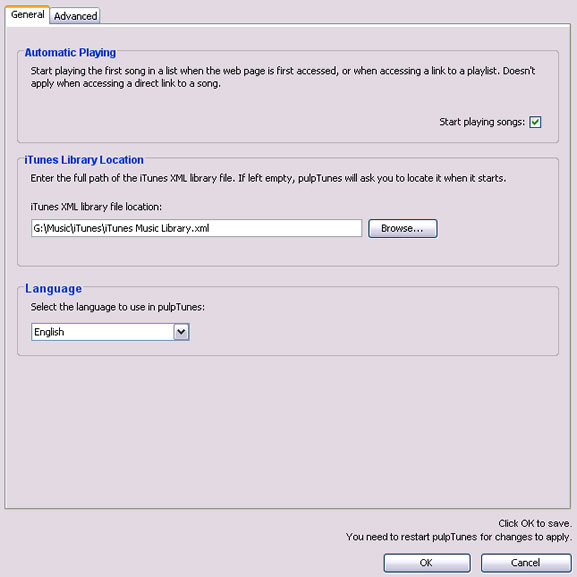
If you click on the icon, you will see a box with options. If you check out the Settings link, it defaults on the General tab. You can set up the automatic playing, the iTunes library file location, and your preferred language.
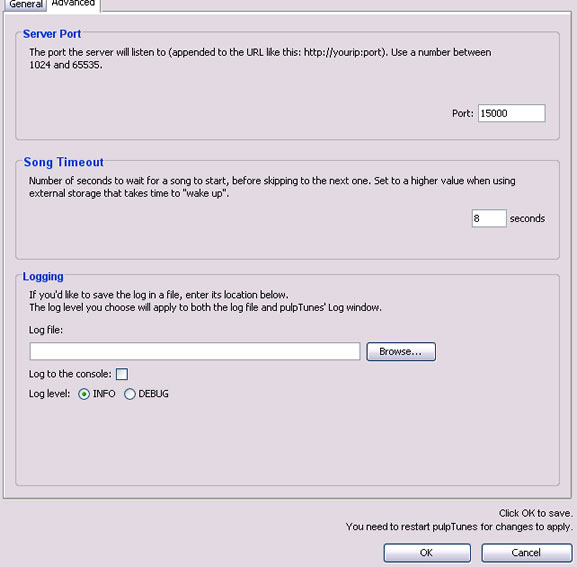
If you click on the Advanced tab, then you can change the server port, timeout time, and turning on/off logs. It’s a very simple process to customize pulpTunes to your liking.
Manage User Accounts
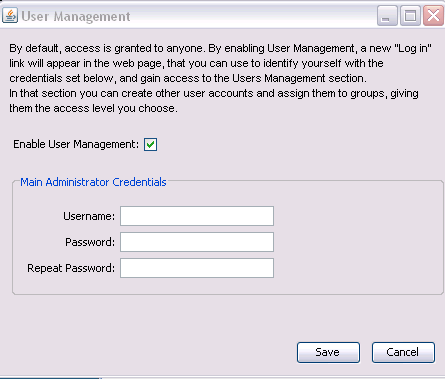
If you want to add more security to your music collection, or restrict who has access, then you would want to enable user accounts that is under User Management. When you first come in, you will need to create an Administrator account. This will be the way to control all access on pulpTunes.
When you open the pulpTunes’ site again, you will see a login link where you can set up the user groups and customize their access. You can restrict the ability to rate songs, view your playlists, and/or have access to pulpTunes.
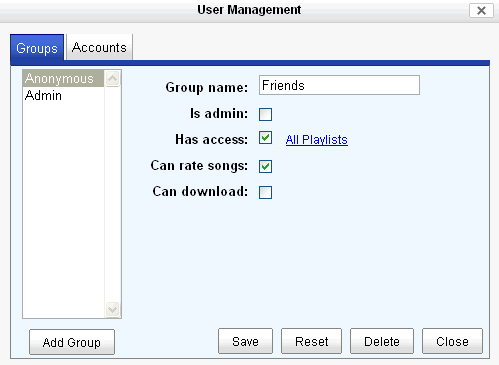
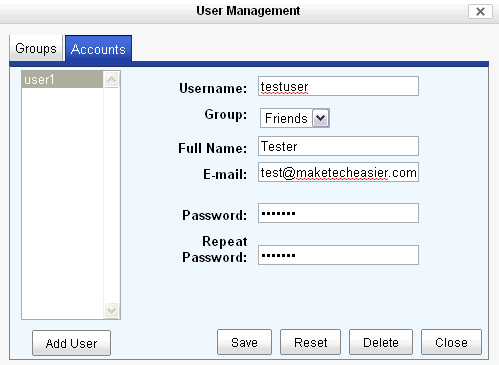
After creating the user groups, you can go to the Accounts tab, and create your user accounts. Note: You have to place users into user groups, so always start with the Groups tab.
Time to Check it Out
After customizing pulpTunes to your liking, it’s time to check it out. You are able to test it by clicking the Test Locally link before launching it. I recommend that you do that. One thing about pulpTunes that is interesting is that you don’t need to have iTunes open in order to run the app. You are able to run searches, check out your playlists, and even select a certain genre.
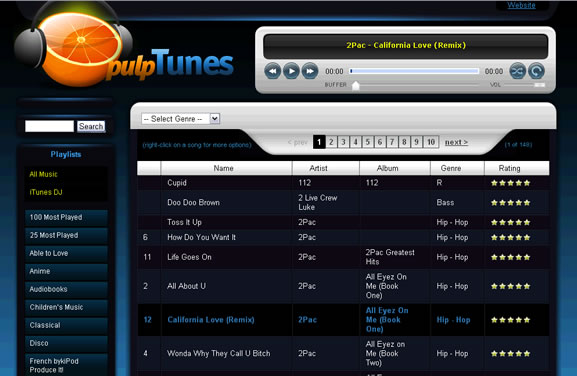
Overall, pulpTunes is a quick and easy app that will give you access to your music without needing to download iTunes or buy a MP3 player. You might have to do some tweaking to your firewall settings in order to allow the app to run seamlessly. However, after doing that, you will be pumping to your music in no time.