
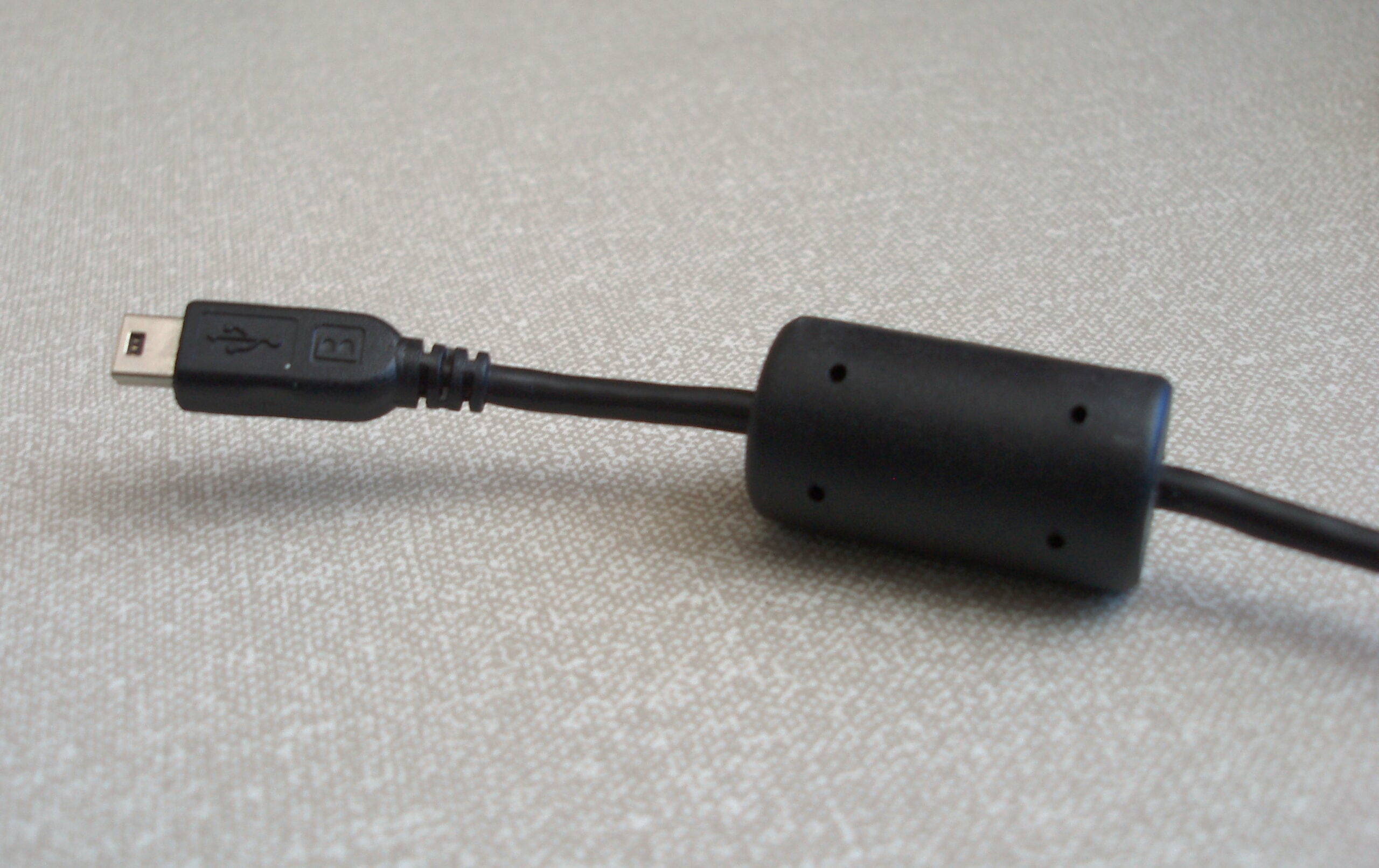


The lump moulded into a monitor, printer or USB cable near its connector is a clamp filter, described by TDK’s technical page on snap-on clamp filters as a cylindrical ferrite core divided lengthwise into two parts and encased in plastic. It works by absorbing the magnetic fields that form around noise on the cable and removing them as heat.
TDK says cables connecting personal computers and peripheral devices, and office equipment such as fax machines and copiers, are typically fitted with these hump-shaped components, and that they are pre-installed when the cables are manufactured. The same company makes clamp filters that can be added to a cable after the fact.
Why a cable needs one
The reason the part exists has less to do with the equipment at either end than with the wire in between. Interface cables connecting digital equipment such as PCs and peripherals may radiate noise, and they may also make the equipment they are attached to more vulnerable to noise arriving from outside.
Cables act as antennas. A length of conductor carrying digital signals gives off electromagnetic energy, and the same length of conductor picks up energy radiated by whatever else is nearby. That dual behaviour is the problem a clamp filter is fitted to deal with.
The component is simple in construction. TDK calls it a simple noise suppression component made up of a split ferrite core in a plastic case, with the two halves of the core meeting around the cable when the case is closed.
How the core turns noise into heat
TDK classes the clamp filter as a type of common mode noise filter, and that classification is the explanation of why it can act on noise without acting on data. Signals in these cables are transmitted in differential mode. Most noise, by contrast, travels in common mode.
In TDK’s account of what happens next, the magnetic fields generated concentrically around noises are absorbed and removed as heat as they pass through the ferrite core tunnel. The noise energy is not redirected elsewhere in the cable; it ends up in the ferrite itself.
The signal is left alone. A clamp filter does not attenuate signals, TDK says, because signals are in differential mode, and the filter suppresses only common mode noise. That is the property that lets the same component sit on a working data cable without degrading what the cable carries.
Fitting one is equally plain. TDK describes the process as “utterly simple to use: just open the case, clamp the cable with it, and snap it closed.” Because the core is divided lengthwise rather than closed into a ring, a filter can be clamped around a cable that is already made up, which is what makes after-market installation possible.
How far up the frequency range it works
A clamp filter is specified for a frequency range. TDK says its clamp filters have stable frequency-impedance characteristics of up to approximately 1 GHz, a figure the company gives for its own parts rather than for ferrite components in general.
Radiated noise is not the only thing they are sold against. TDK describes its clamp filters as highly effective not only as countermeasures for radiated noise, but for preventing malfunctions caused by static electricity and other surge noises.
For anyone looking at the back of a desk and wondering why one cable has a lump and another does not, the practical answer is where the part came from. On most cables the filter is pre-installed at the point of manufacture. Where it is not, a snap-on filter can be clamped on later without cutting or replacing the cable.
What the component does not do is anything to the data. It is a passive piece of ferrite in a plastic shell: the current flowing in differential mode passes through untouched, while the common mode current around it is absorbed and given off as heat.