
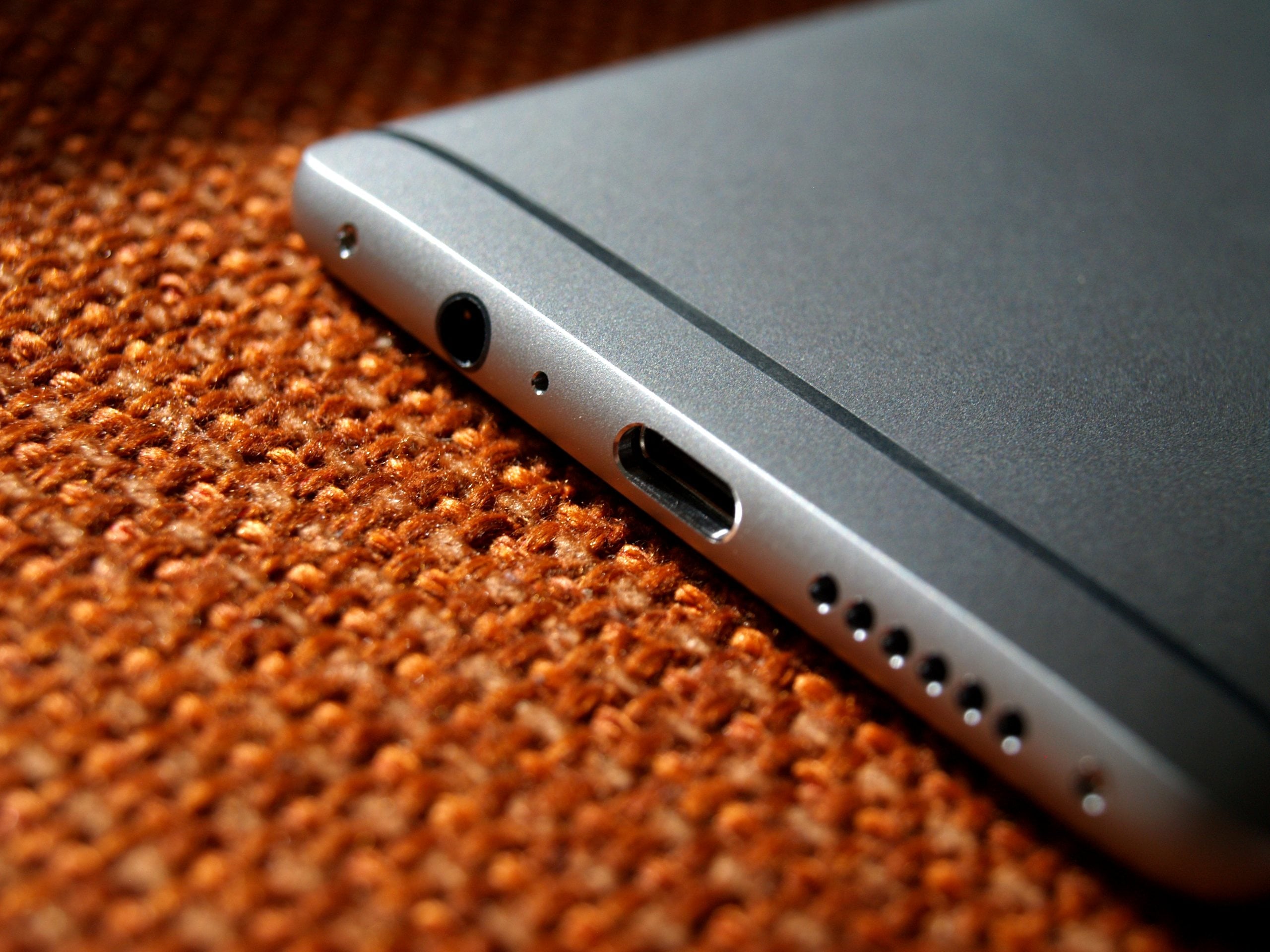


Turn most phones over and look at the bottom edge. Next to the charging port and the speaker grille, there’s often a single pinhole, smaller than everything around it and easy to mistake for a reset button or the place a SIM tool goes. On most phones, it’s a microphone, and usually the one doing the most work when you make a call.
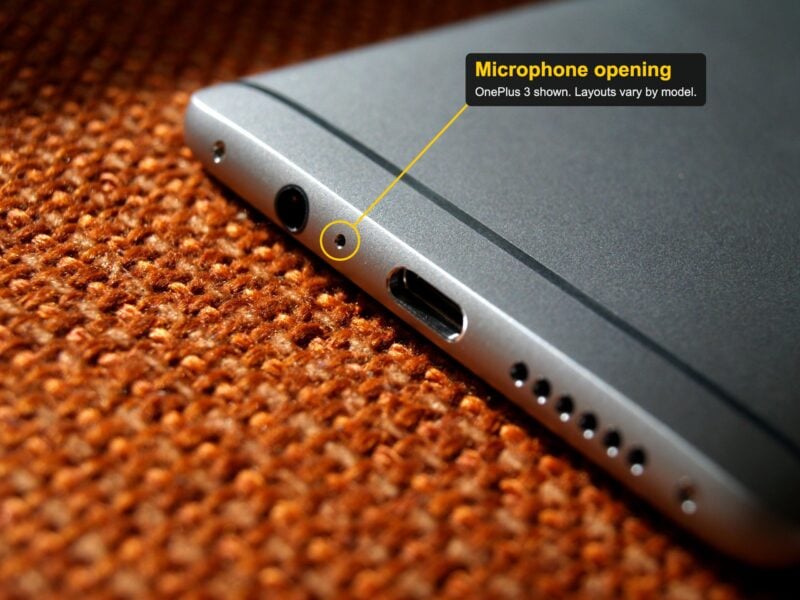
It’s usually the main microphone
Modern phones carry several microphones, and the one on the bottom edge sits closest to your mouth when the phone is against your ear. Apple’s sound troubleshooting guide for iPhone lists a “main bottom microphone” on the opposite side of the port from the bottom speaker, plus a secondary bottom microphone and further microphones on the front and back. Google’s hardware diagrams for recent Pixel phones show a similar layout, with microphones on the top and bottom edges and, on most models, a rear-facing one as well.
On iPhones, the bottom microphone hides in plain sight. The openings on either side of the port look like a matching pair of speaker grilles, but only one side is the speaker. The main microphone sits behind the openings on the other side. Many Android phones take a different approach and give the microphone its own separate pinhole, which is the tiny dot you see beside the USB-C port.
Why one phone needs several microphones
Microphones in different positions pick up the same sound at slightly different times and levels. Audio processing can use those differences to emphasize speech and reduce unwanted background sound. Which microphones are active at any moment depends on the phone, the app and the recording mode. Google’s Pixel microphone guidance, for example, notes that its phones don’t use every microphone at once and that recording quality depends on the app you use.
A blocked bottom microphone tends to show up on calls. People on the other end say you sound muffled or far away, even though the phone seems fine otherwise. Google’s advice is simply not to cover any microphone holes, and Apple’s own check is easy to do: call the iPhone from another phone, answer on speaker, talk normally and listen to whether the bottom microphones sound clear.
The SIM tray problem
The confusion comes from a second tiny hole: the SIM tray ejector. On many phones, the SIM tray lives on a side edge, well away from the microphones. But some manufacturers have moved it to the bottom. Samsung did that with the Galaxy S21 series, where SamMobile pointed out the ejector hole sat millimeters from the microphone and was about the same diameter. Google’s support pages note that the SIM tray on the Pixel 9 series is also at the bottom of the phone.
So before inserting a SIM tool, check the hardware diagram for your exact model, in the manual or on the manufacturer’s support site, and find the outline of the SIM tray itself. That’s what Samsung’s support page recommends too. It adds that the SIM tray hole is usually larger and has a small indentation designed for the ejection pin, which the microphone hole lacks. Those clues help, but hole size alone isn’t a reliable way to tell them apart.
What happens if you poke the microphone by mistake
Samsung’s warning is blunt. Inserting the ejection pin into the microphone hole, it says, “can damage internal components and void the warranty.”
In a 2019 explanation based on teardowns of a few specific phones, repair site iFixit showed how their microphone channels kept an eject tool from reaching the microphone itself. That doesn’t make probing safe, and it isn’t a guarantee for current models. A tool can still displace parts of the sound path and leave audio worse than before. If you’ve poked the hole and callers now say you sound muffled, it’s worth getting the phone checked.
Keeping it clear
The more common problem isn’t a pin, it’s buildup. Pocket lint and dust gradually settle into small openings, and a case can sit closer to the microphone than you’d expect. Apple’s troubleshooting steps for sound problems start by removing any case, screen protector or film, then checking the speaker and microphone openings for debris.
For cleaning, Apple recommends turning the phone off first and gently brushing the openings with a small, clean, dry, soft-bristled brush that isn’t metal. It also says not to use compressed air and to keep moisture out of the openings. A SIM tool, toothpick or needle is the wrong instrument for the job, since pushing debris further in is exactly what you’re trying to avoid.
So the next time you need to swap a SIM, look up the diagram for your model before reaching for the pin. On plenty of phones, the tiny hole beside the charging port isn’t the SIM tray at all. It’s how the people you call hear you.