
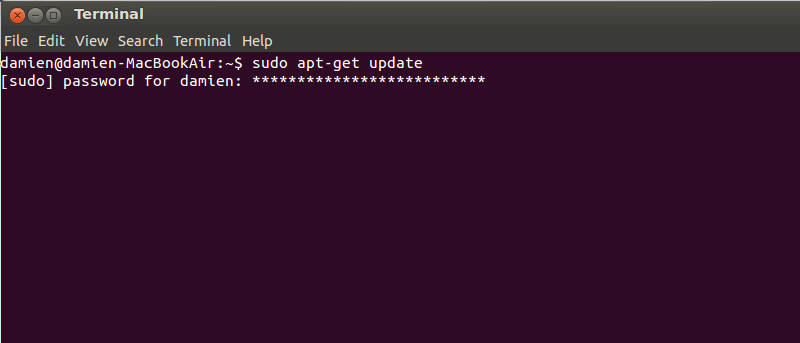

If you have used the terminal in Linux (or Mac), you will know that it does not show anything when you type a password. The lack of a feedback system means that you won’t know if you have typed a password, or have entered the correct number of characters. Here is how you can make the terminal show asterisks when you type a password.
1. Open a terminal and type:
sudo visudo
2. Scroll down the list until you find the line:
Defaults env_reset
3. Append the word “pwfeedback” to the end of the line so it looks like:
Defaults env_reset,pwfeedback
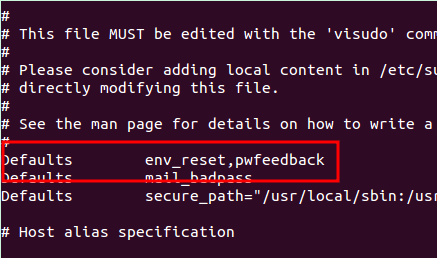
Save (ctrl +o) and exit (ctrl +x).
That’s it.