

By default, when you upload an image in WordPress, it will generate several thumbnails (large, medium and small) from your images. If you have no uses for these thumbnails, they will become a liability to your site, take up valuable database and storage space. If you have a thousand posts in your blog and each post contains at least two images, then you will end up with at least 6000 useless thumbnail images.
A good thing is, you can turn the automatic thumbnail feature off and the step is very easy. No hacking/modification of code or plugins required.
In your WordPress dashboard, go to Settings -> Media. Under the Images Sizes section, change all the value to zero.
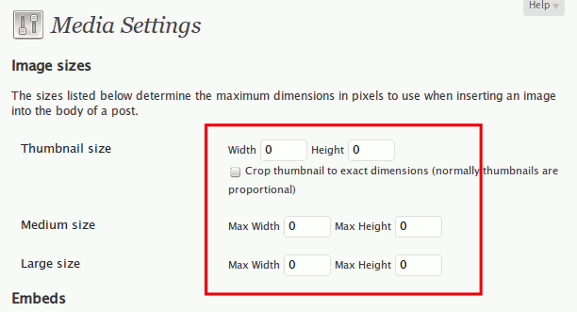
Save the changes.
That’s it.
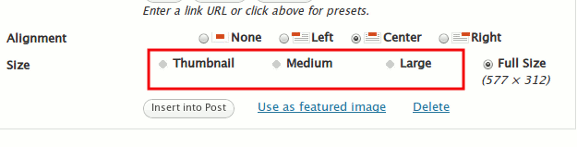
Now whenever you upload an image, you will see that the “Thumbnail”, “Medium” and “Large” options are greyed out under the Size section.
You won’t see anymore thumbnail images in your WordPress database from now on.
Image credit: gwydionwilliams