

From the visitors point of view, light and speedy websites are more likable than the heavy and slow ones because the former will help visitors save money and time. Having a lighter site will also give benefits to the owner as it reduces the storage size and traffic bandwidth that he/she has to pay. Even few kilobytes saving of every page size will become a significant amount when you multiply the figure with the number of pages and thousands (or millions) of visits.
W3 Total Cache is one great solution to speed up your WordPress site, but it requires plenty of technical configuration that might put new WP users off. For those who want a turnkey solution, here are some of them that can achieve the same effect without you having to do much tweaking.
1. Cheating With The Codes
One of the major problems that can hog down your page load is the code mess – especially in the absent of a plugin called WP-Minify. Once enabled, this plugin will combine and compress JS and CSS files to improve page load time.
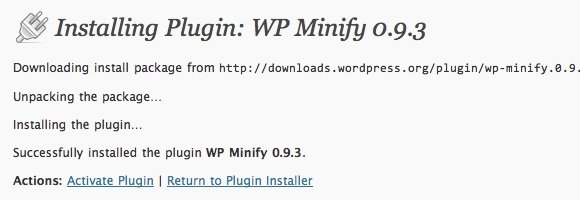
Here’s a quote of the developer’s explanation on how the plugin works:
WP Minify grabs JS/CSS files in your generated WordPress page and passes that list to the Minify engine. The Minify engine then returns a consolidated, minified, and compressed script or style for WP Minify to reference in the WordPress header.
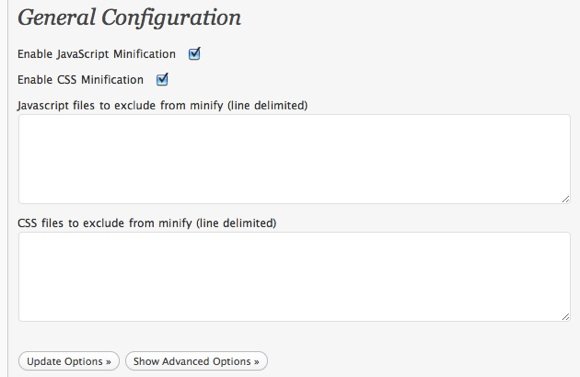
The more CSS codes/Java Scripts that you use, the more saving that you can get. You can also exclude some files from the process – if you really know what you are doing. But please note that this plugin is not for the faint of heart. Playing with codes always comes with some risk.
2. Cache the whole site
Another way that you can do to speed up the loading time of your pages/sites is to make the process go to a shorter route. You can do this by creating caches of your pages.
Usually, after a visitor make a page request (read: opening a page), the request will be accepted by the server, then the server will load the data from the database, and back to the server before the client finally get the data (read: the page loaded). The length of these process will result in waiting time for the visitor and bandwidth usage for the web owner.
But if you use caching plugin like WP Super Cache or Quick Cache, the route will be shortened into: visitor request – server – back to visitor, because all the data has already been cached and there’s no need to visit the database to fetch them.
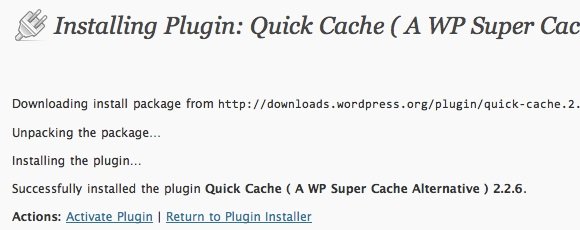
Since WP Super Cache has been discussed many times before, let’s look at the alternative: Quick Cache.
The disadvantage is that visitor will not always get the latest version of the page, but that won’t be a problem unless the page is always updated each and every second (which is rarely happened). The advantage of this method is a huge saving on bandwidth and server resource, so much that this is a favorite way for blog master to survive from Digg attack.
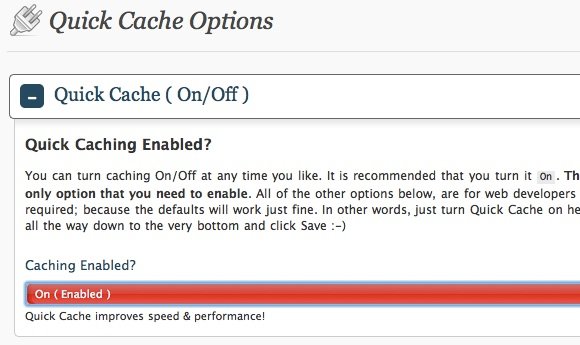
Again, this one is also not for the faint hearted as there are so much settings that one should go through. Beginners are advised not to go beyond the “Easy” step.
3. Flirting With The Image Files
And the major bloat to every blog is images. Most blogger will just link videos from video hosting sites like YouTube, but images are commonly uploaded to the blog server. Ten images of 100 Kb on a page equals to 1 Mb of loading size.
That’s why it’s highly advisable to always reduce the size of every image that you want to upload to your blog. There are many image manipulator that you can use to achieve this such as SmushIt.
But even the reduced-size images still eat up bandwidth. Here’s the part where Dropbox comes to the rescue. Instead of uploading images directly to your blog server, you could put your images in your Dropbox public folder and link the post to that image. This method means more work but worth the hassle, because it will decrease bandwidth use and improve loading time. Plus, if you have to move your blog to another host later, you will save a lot of headache as you don’t have to move your images.
As I’ve mentioned before, these are only few of the many ways that you can use to lighten the load and speed up your WordPress blog. Also check out our other article on speeding up your WordPress blog. If you know other methods, please share them using the comment below.