


There are a lot of tools and software out there that we can use to benchmark our computer and other digital devices like phones and tablets, but when it comes to web browsers, we often limit ourselves to things like opinions, comments and gut feelings. There is no comprehensive way of benchmarking as today’s web browsers come with an array of features while supporting different operating system platforms. If you ever need to compare different web browsers, here are the top 3 tools you can use to benchmark and evaluate the performance statistics to judge the best performing web browser for you.
1. Peacekeeper
If you want an industry standard third party benchmarking suite to compare web browsers, then Peacekeeper is the best tool for the job. Peacekeeper is a child of Futuremark whch specialised in benchmarking PC hardware. To start benchmarking a web browser, simply open up the browser you want to test, visit the Peacekeeper website and click on the “Test Your Browser” button. Peacekeeper runs some standard tests like rendering, DOM operations, text phrasing, and other HTML5 stuff like canvas, video, games, webGL, etc.
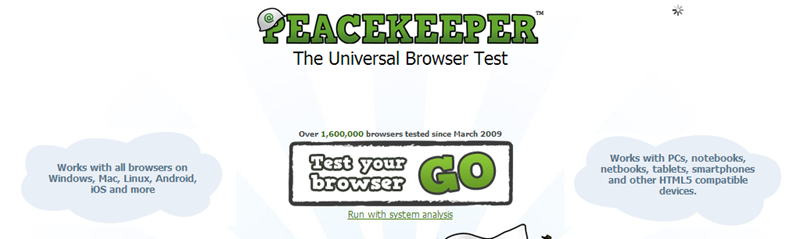
To complement the results, you can also run hardware analysis by clicking on the “Run with system analysis” link on the homepage. The hardware analysis helps you link the browser performance with the relative hardware performance. However, the hardware analysis isn’t mandatory, and in Peacekeeper words, there will be no effect on the end result even if you didn’t run the system analysis.
2. Octane
Octane is a Javascript-based browser benchmark suite with a wide range of tests which emulates today’s complex and demanding web applications. Octane is developed and maintained by Google and runs some notable tests like Box2DWeb (2D physics engine), Mandreel, GB Emulator, CodeLoad, etc. Unlike the other Javascript benchmark suites, Octane tries to emulate the real world stress.
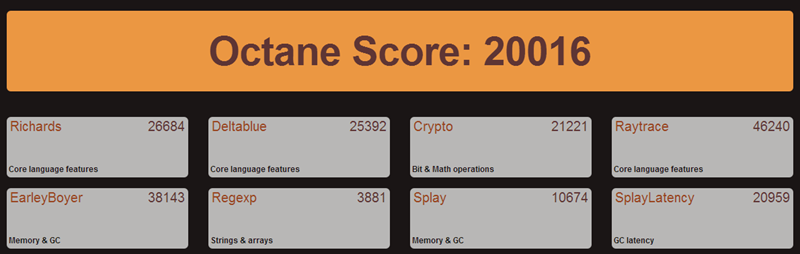
To perform a benchmark test, head over to the Octane site and click on the link “Start Octane 2.0.” This action starts the benchmarking process, and once finished, Octane will display the final score(s). To get more accurate results, it is recommended that you re-run the tests for a couple more times by restarting your browser.
3. SunSpider
SunSpider by WebKit team is just like Octane, which benchmarks your web browser using Javascript library and delivers accurate results by performing each test multiple times. By default, SunSpider tries to emulate real word stress scenarios like 3D content, Reg Expressions, Cryptography, Math, etc. To start a test, simply head over to the SunSpider site and click on the link “Start Now!” that appears at the bottom.

The test may take a minute or two, and once completed, SunSpider displays the results. The good thing about SunSpider is that it gives you a unique URL which can be used to compare the results with future tests. The only downside I find using SunSpider is that the benchmarks don’t include testing DOM and browser API’s.
Conclusion
Benchmarking is an efficient way to evaluate the performance of different web browsers rather then feeling that your favorite web browser performs better than some other browsers. For instance, on my main machine, Google Chrome performed better than Firefox, but on my old laptop, Firefox out-performed Google Chrome (results based on SunSpider). Also, the test results may differ from time to time depending on the updates released by the browser developers and the actual hardware in your system.
So, what are your browser benchmark results? Does your favorite browser perform as you expect? Do comment below sharing your thoughts and experiences.