

Tab is an useful functionality in all browsers, but when you have more than 20 tabs opened, you will know that it is not an easy task to manage them all. Most of the time will be spent searching for a particular tab then reading the content. If you are looking for ways to ease your tabs burden, here are 10 useful tabs management extensions that you can use in your Chrome browser.
1. TooManyTabs
If you have used TooManyTabs in Firefox, you will love this similar extension for Chrome too. They are from the same developers, but this TMT for Chrome is much more visually pleasing than the Firefox version.
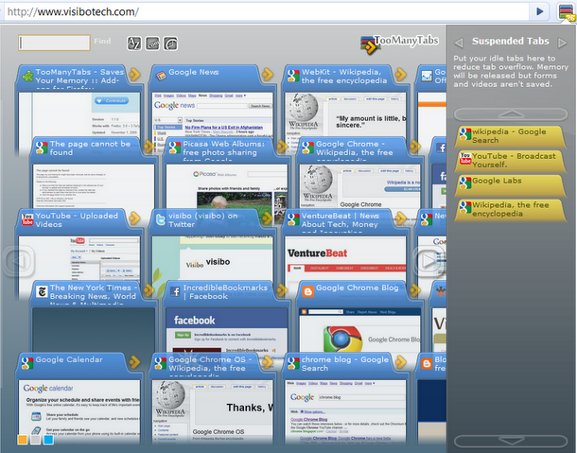
When clicked, TMT will show a window containing all the opened tabs in your current session. You can then click on any tabs that you have currently no use for to move it to the suspended tabs section. The tab state will be saved and memory will be released for other usage. At any point of time, you can easily retrieve back your suspended tabs (and its saved state) by clicking on it in the right column.
2. QuickTabs
When your tab list get longer and longer, you no longer can see the favicon and the title of the tab. When such things happen, Quick Tabs will come in handy. Quick Tabs lists all your tabs in a vertical dropdown fashion and you can easily scroll down to locate the tab you want. In addition, it also comes with a search bar for you to search your opened tabs.
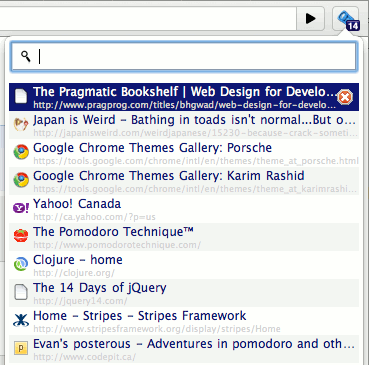
What I really like about this extension is the availability of keyboard shortcuts and the option to choose how many tabs to display in the list. I can easily press Ctrl + M to open the popup window or Ctrl + d to close a tab shortcut.
Personally, I have not reached the tabs nirvana stage where I need to search for my opened tabs, but for those who are into tabs surfing, this is a really useful extension.
3. Sexy Undo Close Tab
For those who are tired of going to the History section to retrieve your closed tabs, this extension is going to be very useful. What it does is to show you a list of tabs that you have previously closed so you can retrieve it quickly and easily.
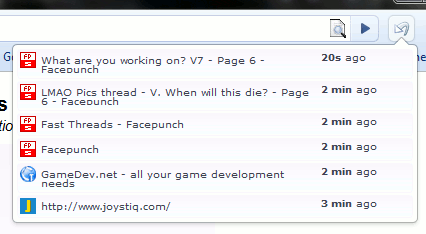
In the settings, you can choose how many closed tabs to display. One thing though, the closed tab list is only valid for the current session. If you restart your Chrome (or start a new session), the previous closed tab list will be gone.
4. TabJump
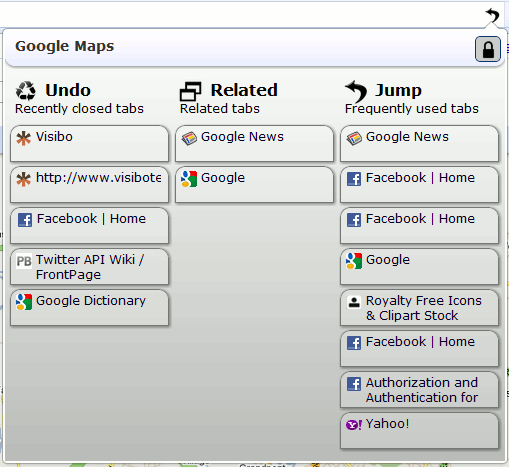
When working with many tabs at the same time, it’s hard to remember which one you want to go next. TabJump highlights frequently used tabs and related tabs so you can easily jump between them. In addition, TabJump store your recently closed tabs in the same list so you can easily retrieve them.
For your info, the developer of TabJump is the same as TooManyTabs.
5. TabsPlus
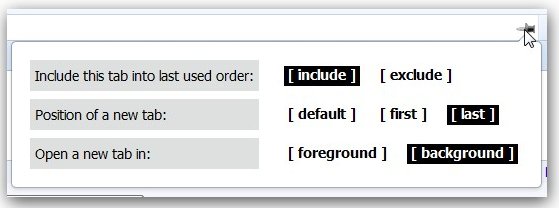
Usually, when you click to open a new tab, it will open itself in the right side of the current tab. It will also open in the background and you have to click it to make it active. Now, if you want to change the behavior of the tab opening, then TabsPlus is the one for you. With TabsPlus, you can select whether to open the new tab as the first tab (extreme left) or as the last tab (extreme right). You can also choose to open in the background or foreground.
6. New Tab Redirect!
With New Tab Redirect, you can now set a custom URL to load in new tabs. You can choose from Chrome’s about pages, a few popular URLs, or provide your own. Your custom tab can also be a local file, allowing you to create your own new tab page.
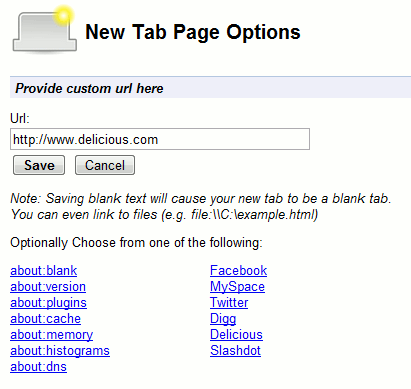
Of course, if you are using extensions like Speed Dial, this extension won’t work.
7. Tab wrangler
Tab Wrangler closes a tab if it has inactive for a period time. This is useful if you have the habit of opening many tabs and forget to close them later. The default time is 7 minutes, but you can change it in the settings.
Which extensions do you use to manage your tabs in Chrome?