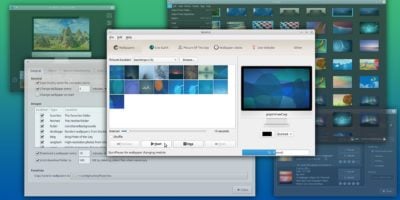
If you are using the Gnome desktop and have played with the wallpaper (Appearance) settings, you will discover that there is an inbuilt slideshow feature that you can use to change the wallpaper at regular interval. While this is a useful feature, it is rather limited since it can only rotate among the default wallpapers and not your custom collection of wallpapers. For those who wish to create your own slideshow and don’t want to have a third-party wallpaper changing app running in the background, here’s how you can do it in Ubuntu.
[Read more...]
Wallch Set Live Earth As Your Desktop Wallpaper
There are no short of wallpaper changers for Linux – Drape, Wally, Cortina, Wallpapoz, Webilder, and many more. Wallch is yet another wallpaper changer for Gnome, but with a twist. You can set Live Earth image as your desktop wallpaper.
Wallch is a pretty new wallpaper changer app for Gnome. It has just released version 1.0 of its software days ago. Just like any other wallpaper changing app, it allows you to define a set of wallpapers to be rotated at certain interval.
[Read more...]
Cortina: Yet Another Gnome Wallpaper Changer
Few years back, I always lamented that there are few and little wallpaper changer apps for Ubuntu desktop. Fast forward to today, this is no longer the case. There is the evergreen Desktop Drapes that has been around since the early days, the still useful Wallpapoz that has stopped development and the cross-platforms compatible Wally that can grab your wallpapers from Flickr. Well, it seems that there is another new kid in the block: Cortina.
Cortina is a simple wallpaper changer for the Gnome desktop. It does not come with any fanciful features that other wallpaper changing app don’t have, except that it is pretty lightweight and perform all its task quickly and swiftly.
[Read more...]
How to Set your Ubuntu Wallpaper as the bootsplash and login screen background
If you have noticed, Ubuntu Karmic comes with a new xsplash that allows you to set custom wallpaper as the background. Not only is it more visually appealing, it is also much easier to customize than the previous usplash.
In this article, we are going to do some thing more interesting – change the bootsplash and login screen concurrently when you change your desktop wallpaper.
Note: this is currently only possible with Ubuntu Karmic 9.10 or distro with xsplash installed.
[Read more...]
Wally: A Cross Platform Wallpaper Changer
Wallpapers breathe life into a desktop. But the same wallpaper can be boring after some days. if you want to automatically rotate wallpapers in your desktop, Wally is just the tool you need. It’s a cross platform wallpaper rotator that can rotate wallpapers in your desktop from multiple sources. You need not save wallpapers from different websites in your computer. Wally can search Flickr, Picasa, Photobucket, Bing, Smugmug and other sources and set a new wallpaper as your desktop background automatically. [Read more...]
Nitrogen: A Background Setter For Lightweight Desktop Manager
Gnome, KDE and XFCE users will have no problem changing the wallpaper on their desktop. However, if you are using a lightweight desktop manager such Openbox or Fluxbox, you will find that there is no way that you can set the wallpaper for your desktop. In this case, Nitrogen will come in handy.
Nitrogen is a simple, lightweight application that allows you to change the background of your desktop. Some of its key features include support for Multihead and Xinerama, a recall mode that can remember the last wallpaper set and command line mode for script use.
Desktop Drapes: Another GNOME Wallpaper Changer
We have covered several wallpaper changers for GNOME. Here is another one to add to the list.
Desktop Drapes is a simple wallpaper manager application for the GNOME desktop. It can automatically pick up any new wallpapers you have added to a directory and randomly change your wallpaper at regular interval, or whenever you fell like it.
How to Grab Photos From Flickr And Set As Ubuntu Wallpaper (Automatically)
There are tons of interesting and nice photos on Flickr. While you can download them and set it as your desktop wallpaper manually, wouldn’t it be great if there is a software that can automate the downloading process and change your Ubuntu wallpaper every now and then?
Webilder does just that. It allows you to download images from Flickr and Webshots and set it as your wallpaper. You can customize it by setting the keywords (or tags) to watch for and/or check out the Webilder channel for tags and albums shared by others.
Ubuntu: How To Change Wallpaper Easily With Wallpapoz
Wallpapoz is an easy to use wallpaper changer application for GNOME. If you love to collect wallpapers, and like your desktop to change wallpaper at regular interval, then Wallpapoz is right for you.
GNOME desktop does not come with a wallpaper changer. While there has been lots of wallpaper changing script developed by enthusiasts, none of them provide an easy to use graphical interface. Most of them will require you to run the code in your terminal.
Wallpapoz is different…