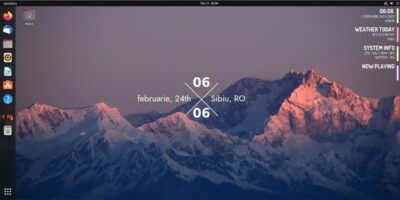
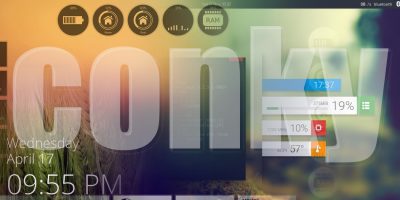
By now, most heavy Linux users are pretty familiar with Conky – the incredibly useful and versatile tool for displaying pretty much anything on your desktop. That includes “geeky” things like CPU usage, network activity, and hostname as well as more “casual” info like time, weather, and even Twitter updates. What many don’t know, however, is that Conky can be not only useful but beautiful as well. Today we’re going to cover a few of the most gorgeous Conky configurations to show you what can be done.
[Read more...]
7 Beautiful Conky Configurations for Your Linux Desktop
Configuring Conky The (Very) Easy Way
Conky, the amazingly versatile and useful Linux desktop application, has a bit of a reputation. It’s clearly a great app, but getting it configured can be a serious pain. Changing anything about it has always required digging through a long text file and editing cryptic lines like ${offset 240}${time %a, } ${color }${time %e %B %G}. As many people don’t have the patience to dig through manuals to find out what all that means, Conky’s popularity has been somewhat limited. Lucky for us, there’s now an easier way to configure it. A MUCH easier way – ConkyWizard.
[Read more...]
How to Manage Google Calendar From Command Line And Display It On Your Desktop
I don’t think I need to do any introduction on Google Calendar. It is one of the most popular web based calendar and if you have a Google account (or a Gmail account), you already have a Google Calendar account.
To add events/appointment to your Google Calendar, the most primitive way is to open your web browser, login to the Google Calendar site and add an event. What about the geekiest (and fastest) way? By the command line, of course.
Gcalcli is a Python application that allows you to access and manage your Google Calendar from a command line. You can use it to retrieve your agenda, event list, and quickly add new events. What’s more, it can also be used as a reminder service to help you remember the things that you need to do.
[Read more...]
Extreme Desktop Makeover: Josh Edition
Many people don’t really care about how their desktop is set up. Those people tend to leave things pretty much at the defaults, or maybe just change the wallpaper or color scheme. Some of us, however, consider desktop layout to be vitally important to productivity. Personally, I like to keep maximum information available at all times, with the ability to access my preferred communication tools. Today, I’m going to show you the methods I use to create my own personal Ultimate Desktop.
[Read more...]
How to Create A Minimal And Beautiful Desktop With Conky
Conky is a simple, lightweight system monitor application that can display information on your desktop and allows you to monitor several processes simultaneously. For those who like to keep a minimal desktop, but still want to have quick access to various information such as emails, weather, memory usage etc, then Conky is just the application for you.

While the installation of Conky is easy, configuring it can be a rather troublesome task. Follow this tutorial closely and I am sure you’ll master the trick in no time.