The Safe Way to Change your WordPress Database Table Prefix

tbl_prefix-wp-on-tableUnless you have make an attempt to change the table prefix before installing your WordPress blog, chances are that your WP database is still using the default ‘wp_’ as the table prefix. With this default prefix, hackers can easily perform a SQL injection attacks on your database and wreak havoc to your site. The best way to prevent this from happening is to change the table prefix to another term that is difficult for hackers to guess.

If you are new to blogging and are looking to install your first WordPress blog, then it is easy. Simply change the $table_prefix entry in wp-config.php file, upload the file to the server, then proceed on with the famous 5-mins installation.

For those who have already been blogging for sometime, follow the method below to change your table prefix.

How to Backup And Install Your Linux Applications With AptOnCD

aptoncd4Everytime after you have reformatted the hard disk and reinstalled the Linux distro of your choice, the one troublesome thing that you need to do is to re-download all your applications and restore all the settings. This is made worst when your wireless connection just don’t work with the newly installed distro. How are you going to download all your applications when you can’t even connect to the Internet?

APTonCD aims to solve this problem by backing up all your packages into a Cd/DVD. You can then install your applications right from the CD/DVD. If you want to save up on CD, you can even store the data as an iso file and restore your system right from the ISO file.

How To Change Your Time Machine Backup Interval

Time Machine's default Preference Pane.Time Machine is Apple’s all-in-one backup solution that takes a snapshot of your hard drive and incrementally backs up any files that have changed since the previous backup. The default configuration is pretty sparse; there’s an On/Off slider, Disk Selection, and an Options area where you can exclude folders from the backup.

You might think hourly backups are a bit excessive. Apple does not give you a convenient way to change the default backup schedule. Luckily this is easy. Here are two ways you can change the hourly backup schedule to one of your choosing.

Automate Your System Backup With Back In Time

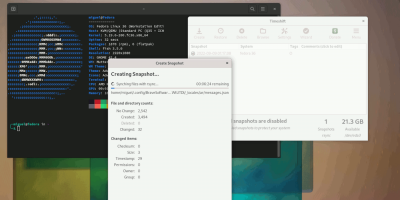
backintime_logoBack in Time is a backup software for Linux system inspired from the Timevault and Flyback. Both Timevault and Flyback are two great software that allow you to back up your system and enable you to roll back and restore your system to the original state before you made any devastating changes. What Back in Time does is to integrate the best features from the two software and put them all into one place.

Back in Time has the exact functionality of Timevault and Flyback. If you have used any of the two software, you won’t be remote to Back In time.

Syncplicity – More Than Just A File Storage Solution

syncplicity-logo While there are many sites that provide online storage solution, most of them are limited to basic upload/downloading and sharing features. If you are looking for a comprehensive online backup and file-sharing system that allows you to sync across multiple computers, then Syncplicity could be the one you are looking for.

Syncplicity is an online storage service that aims to make backup, sync and sharing a breeze for its users. By installing the desktop client on your computer, you will be able to easily specified the folders to backup and get it sync quickly and automatically to the server and any other computers that have Syncplicity installed.

How To Backup Internet Explorer Settings with BackRex

BackRex Internet Explorer BackupThe browser today means a lot more than it did ten years ago, heck it means a lot more than it did even two years ago.  In today’s world the browser represents not only a way to view the musings of the Internet, but it’s also the thin face to many server-based applications.  The browser is becoming more and more of a dependency every day.

I guess that’s why this little application called BackRex Internet Explorer Backup intrigued me so much.  Over the years I have been through many OS rebuilds and changes, each time having to make adjustments to my browser settings to get them just the way I like them.  That includes the manual backup and restore of cookies, favorites, connections settings, and add-ons.  BackRex’s Internet Explorer Backup simplifies that task by automating the process from start to finish.   Here’s a little walkthrough of it’s basic features.

How To Backup Gmail In Ubuntu Intrepid

gmail-logoIt is a misconception to think that all the emails in your Gmail account are safe and will be there forever. In the events that Gmail is down, or for some reasons, you were banned by Google, you won’t be able to access all your emails and all of them will be gone forever. To prevent such incident from happening, you might want to backup your mail in your Gmail account to your system. Come to think of it, you backup your system regularly because all the data and files in your computer are important to you. If your emails are important to  you, shouldn’t you do a backup too?

Gmail-backup is an application that allows you to backup/restore your Gmail. It has an easy to use interface and few configurations are needed to get it to work. Other than backing up your emails, you can also use it to migrate your mails from one Gmail account to another.  This tutorial will teach you how to backup your Gmail account in Ubuntu Intrepid.

How To Backup Your Ubuntu System With Remastersys

remastersys-logoAfter countless hours of configuring, tweaking, installing new applications onto your Ubuntu system, the last thing that you want to do is to reformat and start everything all over again. Remastersys is here to save you all this trouble. Remastersys is a simple and easy to use application that allows you to easily clone and backup your Ubuntu system so that you can quickly restore your computer to its previous state in the event that it crashes.

There are two thing that Remastersys can do:

  1. To do a full system backup, including all installed applications, their settings and your personal data, to a live CD or DVD. You can use this live CD or DVD to restore your system or to install it in another computer. You can also bring it around and use it everywhere as a Live CD.
  2. To create a custom distributable copy of your current Ubuntu system and share it with your friends.

Backup Your Windows Data the Simple Way – with Cobian Backup

backup-diskCobian Backup is a real treat for anyone looking for an easy-to-use backup solution for their Windows desktop.  The latest release, Cobian Backup 9 (Amanita), provides support for Windows NT, 2000, 2003, XP and Vista.  This multi-threaded application can be used to schedule and backup your files and folders from your local system to a local or network connected storage location of your choosing.  Bi-directional FTP support is also available.

You can run Cobian Backup as either an application or a Windows service.  In this tutorial we will examine installing the program as a service, which will be fitting for most common installations.

Dropbox: Backs Up and Syncs Files From Your Desktop

Previously available only in Windows and Mac, Dropbox has recently launched a new version for Linux.

In case you are wondering, Dropbox is an online storage site that allows you to back up and sync your files right from your desktop. It comes with a desktop application that you can install in your OS and backing up files is just a simple drag and drop to the Dropbox folder in your hard drive. Any files added/removed from the folder will be automatically sync with the online server as long as you are connected to the Internet.

12»