How to Add Dynamic Widgets To Your WordPress Blog Without Meddling With The Code

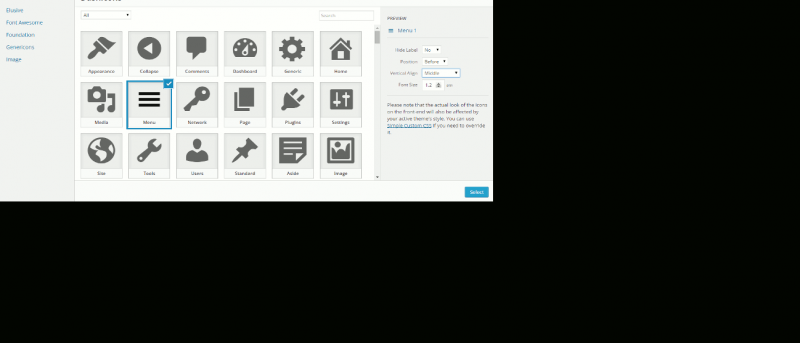
wp-widgetIf you own a WordPress site, have you ever have the need to display different widgets for different pages? For example, you might be running a travel site and you blog about travelling in various countries. You might want to get the sidebar to display a France’s hotel booking form when the content is about France or the recommended Italian restaurant widget when you are discussing about Italy. How do you achieve that in WordPress? How do you achieve that in WordPress without having to meddle with the code?
[Read more...]

How to Add The Facebook Send Button to Your WordPress Site

send-buttonBy now, I believe most of you knew the existence of the Facebook LIKE button. It is a button that you can click to express your interest (on Facebook) in the particular page or site. To make thing even more interesting, Facebook came out with a new button, known as the SEND button that allows you to send a content to a friend. This is similar to the mail-a-friend function, except that the “mail” will go directly to your friend’s Facebook inbox.
[Read more...]

How to Add Google Analytics’s Site Speed Tracking Feature to Your WordPress Site

ga-iconGoogle has recently added a new feature into its Analytics software, enabling you to track your website loading speed now. If you are not aware, in its attempt to make the web faster, Google has launched a series of tools to help webmasters improve their site speed. There is the Google Instant where users can find what they want even before they finished typing; Instant Preview to enable users to preview the site from the search result, Page Speed Chrome extension that runs performance tests based on a set of best practices known to reduce page load time and now the Site Speed Report.
[Read more...]

4 Excellent Techniques To Enhance The WordPress Admin Bar

wpadminbar-mainIf you have upgraded to the latest WordPress version (3.1), you will discover that it shows the WordPress Admin bar for you and your logged-in users. While the WP Admin Bar is supposed to make your life easier by providing useful links at the top of the page, it does not provide any form of customization, which crippled its usefulness.

Here are 4 useful techniques you can use to customize and bring out the best of the WP Admin Bar.
[Read more...]

How to Add Facebook Comment System to Your Site

facebook-commentsFacebook has recently released a new commenting system that aims to take the web by storm. This comment system can replace your existing commenting functionality and allows your reader to post comments with their Facebook account. The comments will also be posted to their Facebook’s wall, which could potentially increase more traffic for you.

Now if you are keen to implement the Facebook comment system in your site, here’s how you can do so:
[Read more...]

Quick Tips: How to Disable PDF Viewer in Google Chrome

Google Chrome comes with an inbuilt PDF viewer that allows you to view PDF files right in the browser. Some people will love it and some don’t. If you belong to the latter camp and wish to turn off the PDF feature for good. Here’s how you can do it.

Open your Google Chrome and type “about:plugins” in the URL bar.

Scroll down the list until you see the option “Chrome PDF Viewer”.

Click the “disable” link beneath it.

chrome-disable-pdf-viewer

That’s it. From now on, whenever you click on a PDF link, it will prompt you to download the file instead of displaying it in the browser.

To restore the PDF Viewer feature, just follow the same steps and click the “Enable” link.
[Read more...]

How to Customize Your WordPress Administration Area

wp-customize-admin-mainWordPress is one of the most popular content management systems out there. Thousands of bloggers use WordPress to power their blogs, websites, forums and other online publications. The best thing regarding WordPress is it’s rich inventory of useful plugins – there are different types of plugins available for customizing your requirements.

Do you know that the WordPress administration area can be customized according to your needs? You can hide the features you never use, change the logo in your WordPress login screen and do a lot more creative things right inside your WordPress blog’s backend.
[Read more...]

3 More Ways To Lighten The Load And Speed Up Your WordPress Blog

Speed WordPress logoFrom the visitors point of view, light and speedy websites are more likable than the heavy and slow ones because the former will help visitors save money and time. Having a lighter site will also give benefits to the owner as it reduces the storage size and traffic bandwidth that he/she has to pay. Even few kilobytes saving of every page size will become a significant amount when you multiply the figure with the number of pages and thousands (or millions) of visits.

W3 Total Cache is one great solution to speed up your WordPress site, but it requires plenty of technical configuration that might put new WP users off. For those who want a turnkey solution, here are some of them that can achieve the same effect without you having to do much tweaking.
[Read more...]

3 Useful WP Plugins to Add a Floating Social Sharing Bar Beside Your Content

wpsidebar-sharebar1-smallFans of Mashable will notice the floating social sharing bar that they are using at the side of their content. As you scroll down the page, the social sharing bar will move along and acts as a constant reminder to get you to share the content. If you are thinking of implementing such cool trick to your site, here are three plugins that you should not miss out.
[Read more...]