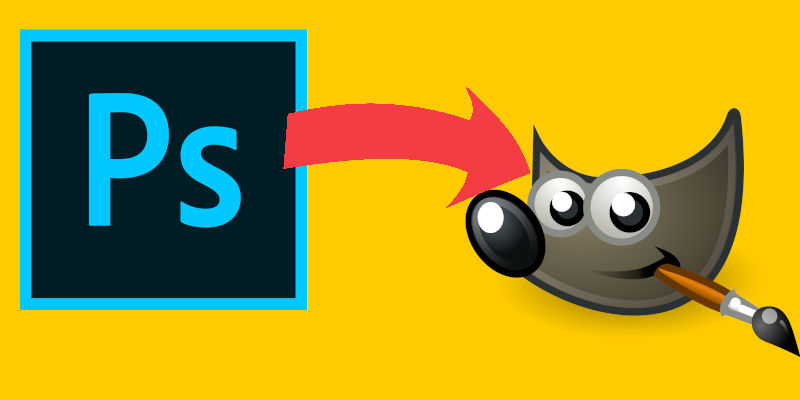
Gimp is one of the most features complete open-source image editor around. It is often touted as the best alternative to Photoshop and is the best choices for people who need comprehensive image editing features and can’t afford Photoshop. As good as it seems, Gimp is not easy to master. All the tools and options are scattered around and you have to search, download and install custom plugins, filter to achieve certain effects. AdaptableGimp is a modified version of Gimp that provides useful instructions and step-by-step guide within the UI to help the users accomplishes the things they want to do easily.
[Read more...]
Be A Gimp Expert With AdaptableGimp
5 Best Places for Photoshop Freebies
If you are a Photoshop user, there will be countless times when you will require pre-made items in order to help you in your work. Some freebies such as as – Textures, Brushes, PSD files, etc will always come in handy.
Here are five of the finest places where you may be able to find freebies for Photoshop. Have a look.
[Read more...]
Touch Retouch Is A Mini Photoshop For Android + Free Giveaway [Update: Contest Closed]
Have you ever taken photos on your Android phone, only to find that there is a distracting object in the photo, or that the photo is blurry and badly taken? No. You sure? Let’s not bluff ourselves. All of us have this bad photo moments before. It really doesn’t matter. What matters is how you clean up the mess after that.
Touch Retouch is a simple, yet powerful image editing app for Android (and iOS), and yes, it does seems like a mini Photoshop to me. It has only a few features, but I can assure you that they are sufficient and good enough for your daily needs. This app is not about adding funny effects to your photos. It is about cleaning them up and make them look better, even if you have a lousy photo taking skill.
[Read more...]
8 Of The Coolest Brushes For The Gimp
Like almost any piece of software with rudimentary drawing capability, Gimp includes simple brushes like squares, circles, and fuzzy circles. While they get you by for many basic needs, there’s a lot more you can do. Everything from flowers and vines to flames and bubbles can be created by brushes, and today we’re going to show you some of the coolest ones out there.
[Read more...]
How to install Photoshop CS5 in Ubuntu Maverick 10.10
If you are running Ubuntu 10.10 Maverick and own a copy of the Photoshop CS 5 installer, you will find that you won’t be able to install it under wine. Photoshop CS5 on Ubuntu 10.4 works fine, but not 10.10. Here’s what I did to get it running on my Ubuntu Maverick machine.
What you’ll need:
- A computer running Ubuntu Maverick
- A computer running Windows (it doesn’t have to be a computer. It can be a virtual machine running Windows in Virtualbox)
- A copy of Photoshop CS5 installer. You can get the trial version at Adobe website
How to Create Flames in Gimp
For whatever reason, flames are neat looking. I’ll leave it to psychologists to explain exactly why that is. All I know is that things on fire usually look cooler than things not on fire. To me, that also includes my wallpaper. As regular readers may know, I like to create my own abstract wallpapers and I’m a fan of the Gimp. Today we’re going to use Gimp to create flame wallpaper for your desktop. This process will work on any system that can run Gimp (Windows, Linux, OSX) without any additional plugins or textures.
[Read more...]
How to Selectively Color Images in 5 Minutes
Using color to highlight a particular portion of your image can have drastic effects on the end result. Using photo editors like Photoshop and Gimp you can emphasize whatever colors you choose in an image. Music videos and films like Sin City used this extensively, and the resulting look can be replicated in Gimp in just a few minutes. In this guide we’ll use two layers and some basic Gimp tools to highlight only the blue tones in a sample image, leaving the rest of the image black and white.
Note: There are multiple ways of accomplishing this effect that will give different results. The method demonstrated here is just one quick, easy way.
[Read more...]
BaseKit: Easily Create a Website From Photoshop
Let’s imagine the scenario: you are a designer, well versed in Photoshop and you wanted to convert that great design of yours into a concrete web site. How can you do this in the easiest possible way?
You have two solutions: Learn HTML (you probably need to know PHP as well) and code it up yourself, or pay a coder to do it for you. With Basekit, there is now a third solution – import in your .psd file and get it to convert your design to a standard compliant template.
BaseKit is developed by a UK based company and it allows you to create website quickly and easily. Think of it like an online Dreamweaver, but easier to handle and more powerful. There is little or no HTML knowledge required to code up your website. All it needs is a bit of your creativity. [Read more...]
5 Useful Online Photo Editing Tools
We all know that Adobe Photoshop is the best software out there for photo editing/image creation. We must also admit that it is far too expensive for most of us to afford it. Luckily, for casual users like us, there are several free online tools that can help you edit your digital images. Some of them even come with layers and allow you to do pixel leveling editing. Read along to find out more about these useful online photo editing tools.
[Read more...]
How to Create a High-Definition, Abstract Wallpaper In Photoshop
Adobe Photoshop is by far the best photo editing application known. Apart from normal image editing jobs, you can also use it to create high definition wallpapers for your desktop. In this article I am going to discuss three techniques which you can use in Adobe Photoshop to create high definition wallpapers.
We will first create a wallpaper with cloudy colored effects follow by adding a shine effect to it. Lastly, we will wrap it up with a lighting effect.
[Read more...]