A Quicker Way to Kill Non-Responsive Programs in Windows

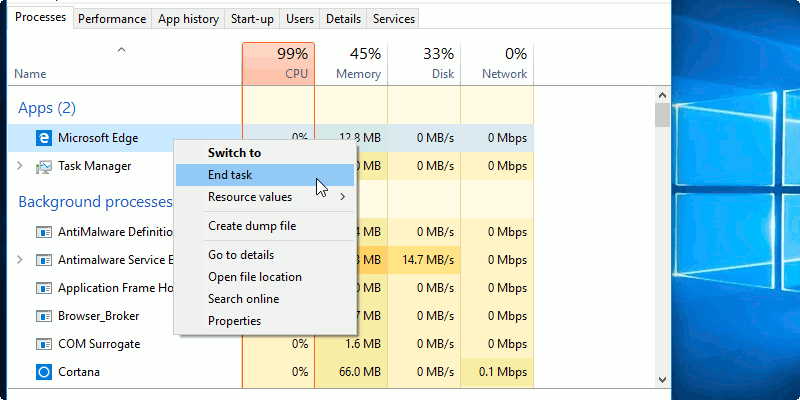
Kill Non Responsive Programs in WindowsWhile working with too many programs in Windows, you must have encountered the famous dialog box “This program is not responding”. After this dialog box is shown, the desktop freezes for a while and may be the screen goes black. Next, you are shown an option to end the program, clicking which terminates the program and brings some life in Windows.

What causes this temporary system hog is the lack of resources requested. May be your system is low on random access memory (RAM) and you are requesting a large number of commands, which sadly your system can’t execute in such a small interval of time
[Read more...]

Terminate Stubborn Programs With Process Assassin

process-assassin-introIf you have ever used a computer, you know how from time to time you get a stubborn application that just won’t close. When you are using a Windows machine, you can summon the Task Manager with Ctrl + Alt +Delete. There are times however, the Task Manager can’t even motivate the application to close.

Sometimes the application may need a little nudge, sometimes it needs to be assassinated. Process Assassin is a tiny little application (368 KB) can be run from just about anywhere.
[Read more...]

Kill Problem Applications Like a Ninja

Kill - Application KillerLinux fans who run Windows (for any number of reasons) can finally rejoice, xkill has essentially been cloned and is available as a free download . This Windows copycat of the popular xkill utility is aptly named – Kill.

Kill allows you to end the process behind an application simply by clicking on the application Window.  Think of it like having the power to terminate in the tip of your finger.  When you load up Kill and left click on a window, Windows attempts to close it as though you had simply clicked the close button.  This will cause the program to close in its normal way, often prompting you to save your work.

Holding CTRL while you click the application triggers the more dangerous end-process that would normally be done through the Task Manager.  This immediately kills the underlying process and forcing the application to terminate.  No prompts this time.  Here’s a demo of Kill in action.

[Read more...]