Wondering where WhatsApp saves your files on your desktop? Learn how to find your WhatsApp files on PC or Mac with ease.
By Alexandra Arici – Feb 18, 2025
Learn how to use the touch command to perform its primary operation like creating empty files and other operations like tweaking timestamps.
By Haroon Javed – Aug 22, 2024
Does your PDF need cleaning up? This guide includes various methods that allow you to delete pages from a PDF file to trim it down.
By Alexandra Arici – Mar 24, 2024
Shortcuts can make life easier for you on Windows. Learn how to create a Windows desktop shortcut for apps, files, folders, and more.
By Mustafa Ashour – Aug 16, 2023
Whether you’ve manually hidden files, or your system automatically hid them, learn how to show hidden files in Windows.
By Mustafa Ashour – Aug 11, 2023
Learn how to delete files on Windows if they are large. The various methods include CMD or adding a dedicated option in the context menu.
By Mustafa Ashour – Jul 17, 2023
Getting the “This file does not have an app associated with it” error on Windows? This guide has solutions to access the files you need.
By Zainab Falak – Jul 11, 2023
Discover how to select multiple files in a folder or specific files on your Mac with these tips and tricks.
By Tristyn Pawson – Mar 28, 2023
Looking for the files you downloaded? Learn how to find downloaded files like PDFs, images, videos, etc. on iPhone and iPad.
By Mehvish Mushtaq – Feb 17, 2023
Don’t want to manually count your files in Google Drive? Learn how to find the number of files in a Google Drive folder.
By Crystal Crowder – Jan 21, 2023
Base64 encoding helps transfer files across internet without data loss.
By Hrishikesh Pathak – Sep 14, 2022
Sharing files between devices is quick and painless with Samsung’s Quick Share.
By Mehvish Mushtaq – Jun 9, 2022
Get back your precious lost files using one of these methods.
By Claire Moraa – May 6, 2022
In this guide on how to manage files on iPhone and iPad using the Files app, we’ll show you how to create files, copy, delete them, and more.
By Isaac Norman – Jan 19, 2021
The Linux find command is one of the most important and handy commands in Linux systems. Here’s how you can use it to find files in Linux.
By John Perkins – Dec 23, 2020
iOS 13 added a compression tool in the Files app, which allows you to easily create zip files. Learn how to zip and unzip files in the Files app in iOS.
By Shujaa Imran – Mar 21, 2020
Apple has been very strict about what files you can save to your phone. This article shows how you can download any file directly to your iPhone.
By Alexander Fox – Jul 21, 2018
iPad, or iOS, is not natively equipped for accessing resources on a local network. This article shows how you can access network files on your iPad.
By Alexander Fox – Jul 19, 2018
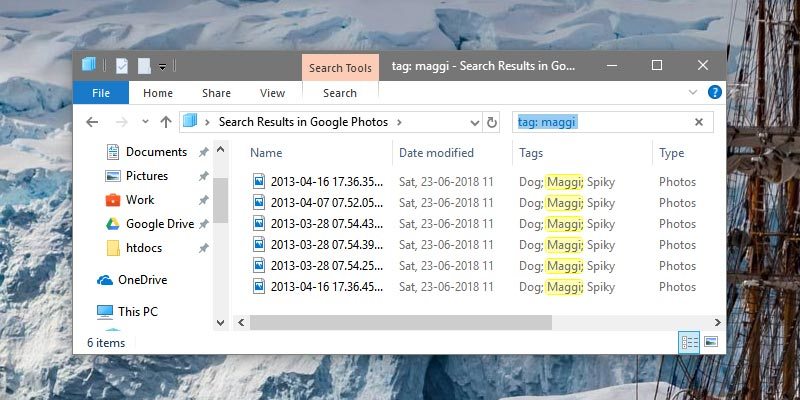
If you want to improve the file search speed in Windows, you can simply tag files with relevant keywords.
By Vamsi Krishna – Jun 28, 2018
It can be difficult to search for a file in Google Drive if you stored many of files in it. Here are some effective ways to search for files in Google Drive.
By Corbin Telligman – Oct 11, 2017
Next >
Affiliate Disclosure: Make Tech Easier may earn commission on products purchased through our links, which supports the work we do for our readers.